Post-Purchase Email: The Flow That Turns One-Time Buyers Into Repeat Customers
70-80% of first-time ecommerce customers never come back. The post-purchase flow changes that.
This is post 4 of 12 in the Ecommerce Email Lifecycle Series. Previous: Welcome Email Best Practices.
A post-purchase email flow is an automated sequence triggered after a customer places an order, covering everything from order confirmation through delivery follow-up, review requests, and cross-sell recommendations. It is the most neglected flow in ecommerce email — yet the most important for retention, since repeat customers spend 67% more than first-time buyers (Bain & Company, 2024).
Here's a number that should make you uncomfortable: 70–80% of first-time ecommerce customers never come back for a second purchase. Not because the product was bad. Not because the price was wrong. Because nothing happened after the sale. The order confirmation came from Shopify's default template, the shipping notification was a bare tracking link, and then... silence. Sixty days of silence until the customer gets dropped into a win-back flow for people the brand has already lost.
The post-purchase flow fills that gap. It's the seven emails between "order confirmed" and "ready to buy again" — and for most stores, it's either missing entirely or running on autopilot with Shopify defaults that do the bare minimum.
This post covers what a real post-purchase flow looks like, what each email should accomplish, and how to set it up in Klaviyo so it actually drives repeat purchases instead of just confirming orders. (For where post-purchase fits in the full lifecycle, see our 7 essential flows overview.)
Why Post-Purchase Emails Matter More Than Acquisition Emails
Most ecommerce brands spend 80% of their marketing budget on acquisition. Getting new customers in the door. The economics of that approach have always been questionable, but in 2026, with customer acquisition costs up 222% over the past decade, it's becoming unsustainable for any brand that isn't funded by venture capital.
The retention math tells a clear story. Acquiring a new customer costs 5–25x more than keeping one you already have (Harvard Business Review), and the customers you keep spend significantly more over time. A 5% increase in retention can boost profits by 25–95%. The probability of selling to an existing customer is 60–70%, compared to 5–20% for a new prospect (Marketing Metrics).
Every one of those numbers depends on something actually happening after the first purchase. That's what the post-purchase flow does. Without it, you're paying to acquire customers and then doing nothing to keep them.
"If you do nothing else that I show you today, do your post-purchase flow well. And one way to do that, which no one is doing, is to send pre-arrival emails." — Ezra Firestone, Founder, Smart Marketer (Klaviyo Blog)
Chin's team at Chronos has worked with 300+ ecommerce clients and consistently sees a 20–30% boost in trackable email revenue when post-purchase flows are built properly. That revenue comes from customers who already bought — it doesn't require a single new visitor.
The Post-Purchase Email Sequence: 7 Emails That Drive Repeat Revenue
Here's the complete sequence, with timing benchmarks. Not every store needs all seven — the replenishment email, for example, only applies to consumable products. But the first five are universal.
Email 1: Order confirmation (send immediately)
This is the most opened email your store will ever send. Transactional emails get 80–90% open rates because the customer is actively checking whether their order went through. Most stores waste this attention by sending Shopify's default template — a plain receipt with an order number.
Build a branded order confirmation in Klaviyo instead. Include the order details (customers need this), but add a branded header, an expected delivery timeline, and a "what to expect next" section explaining the emails they'll receive. Then add one cross-sell recommendation at the bottom — "customers who bought [X] also love [Y]." It converts surprisingly well because the customer is still in a buying mindset.
Keep the cross-sell subtle. One product recommendation, not a product grid. The primary purpose of this email is still to confirm the order and reduce post-purchase anxiety.
One practical note: if you build your order confirmation in Klaviyo, you need to disable Shopify's native order confirmation email, or the customer gets two. In Shopify admin, go to Settings → Notifications → Order confirmation and uncheck it. Same for shipping confirmation if you're building that in Klaviyo too. Forgetting this is one of the most common post-purchase flow mistakes — the customer gets a bare Shopify receipt and your branded Klaviyo version, which looks sloppy.
Also worth knowing: order confirmations and shipping notifications are transactional emails, not marketing emails. They reach every customer regardless of marketing opt-in status. This matters because your post-purchase flow can engage customers who didn't check the "email me with news and offers" box at checkout — they still receive Emails 1–3 as transactional messages.
Email 2: Shipping notification (when order ships)
Tracking information plus anticipation-building content. Don't just send the tracking number — use this email to build excitement about what's coming. Include: how to use the product, care instructions, what's in the box, or a short note from the founder.
Ezra Firestone calls these "pre-arrival emails" and considers them one of the most underused tactics in ecommerce email. They build anticipation, reduce buyer's remorse, and lower refund rates because the customer arrives at unboxing with positive expectations already set.
If you're running SMS alongside email, the shipping notification is a strong SMS candidate. Customers check texts faster than emails when they're waiting for a package. Send the tracking link via SMS and the anticipation content via email — different channels, different jobs.
Email 3: Delivery follow-up (delivery day + 1)
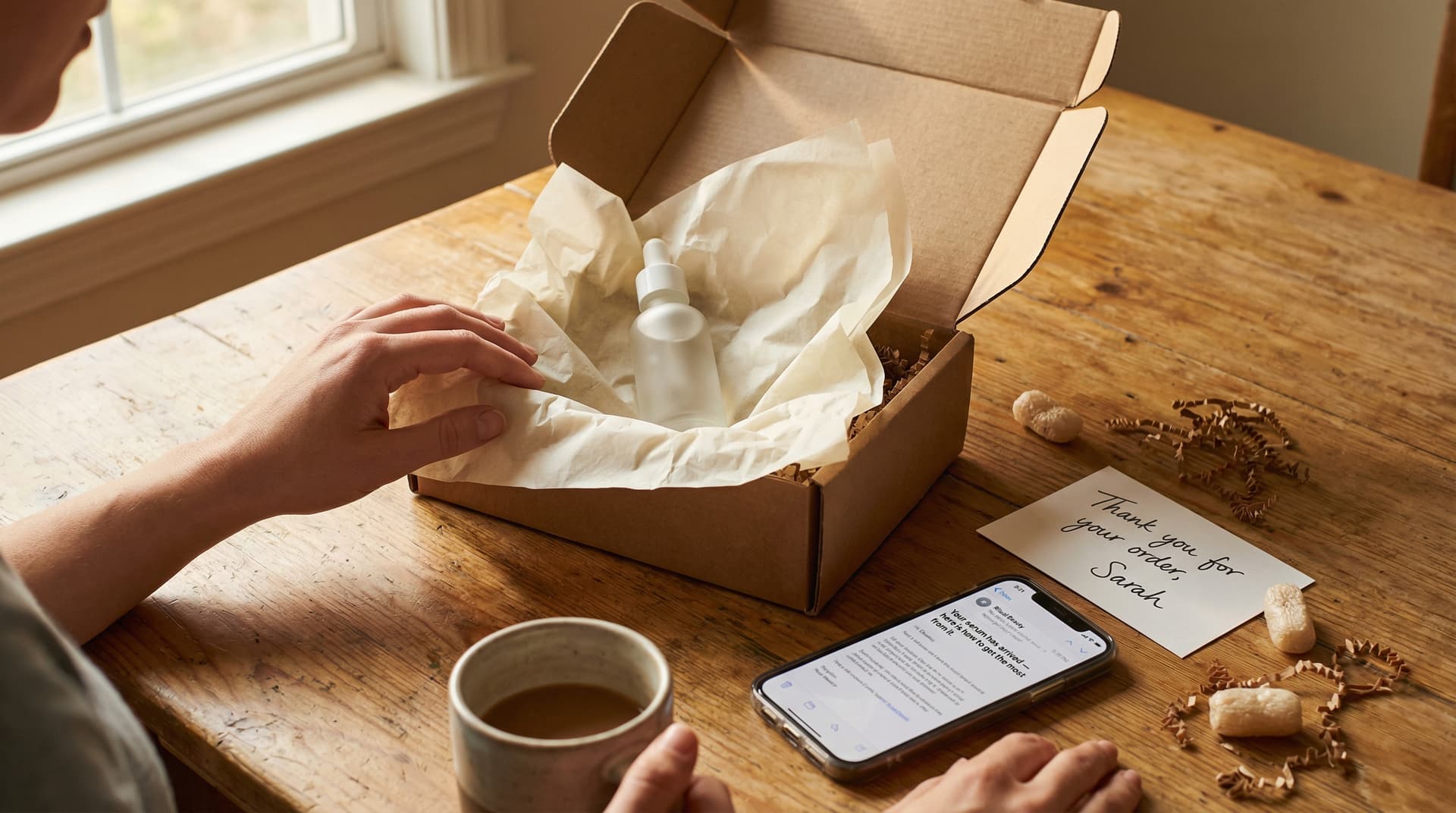
"Your [product] has arrived — here's how to get the most from it."
This email lands the day after delivery. Its job is to help the customer have the best possible first experience with the product. Usage tips, "getting started" guides, links to FAQs or video tutorials. If your product has a learning curve (skincare routine, coffee brewing, tech setup), this email significantly improves the first impression.
Include a customer support link prominently. If something went wrong with the order — damaged product, wrong item, missing pieces — this is when the customer discovers it. Making support easy to reach at this moment reduces negative reviews and social media complaints.
Email 4: Check-in (day 5–7 post-delivery)
"How's your [product]?"
This is the email most stores skip, and it might be the most important one in the sequence. It's a soft touch. No selling, no ask. Just a genuine check-in.
"Retention doesn't equal email and SMS—retention equals creating an impactful experience." — Eli Weiss, then Sr. Director of Customer Experience & Retention, Jones Road Beauty (Tapcart)
Weiss built OLIPOP's retention program around this philosophy: the post-purchase experience decides whether someone becomes a repeat customer. At OLIPOP he kept pushing subscribers to swap flavors, and told Ecommerce Fastlane that "our dream is for someone to find [what] we call the 'forever flavor' in the first 30 or 60 days."
This email also lowers return rates. A customer who feels checked on is less likely to return a product than one who feels ignored after the sale.
Email 5: Review request (day 10–14)
Timing matters here. Ask too early and the customer hasn't used the product enough to have an opinion. Ask too late and the enthusiasm has faded. Day 10–14 post-delivery is the sweet spot for most products.
Make the review process frictionless. A one-click star rating in the email (Judge.me, Yotpo, and Stamped all support this) gets 3–5x more responses than asking the customer to click through and write a paragraph. If you want photo reviews, offer a small incentive — 5% off the next order, loyalty points, a contest entry.
The review request isn't just about social proof generation. It's a re-engagement moment. The customer opens your email, thinks about your product, and visits your site to leave the review. Some of them buy again while they're there.
Email 6: Cross-sell recommendation (day 21–30)
By now the customer has used the product for a few weeks. They know whether they like it. If you're going to recommend something else, this is when it feels helpful instead of pushy.
"Customers who bought [their product] also love [complementary product]." Use Klaviyo's dynamic product blocks to pull recommendations from your catalog data. If you don't have enough purchase history for algorithmic recommendations, manually map complementary products — shoes → socks, moisturizer → serum, coffee beans → grinder.
The timing should be earlier for products with short evaluation periods (supplements, food, beauty) and later for products with longer ones (electronics, furniture, apparel you need to wear a few times).
→ Cross-sell and upsell emails: the complete guide
Email 7: Replenishment reminder (day 45–60)
For consumable products only. If a customer bought a 30-day supply of supplements, a "time for a refill?" email at day 25–30 is one of the highest-converting emails you can send. The customer knows they need more. You're just making it easy.
Include a one-click reorder link that pre-fills their cart with the same product. If you offer a subscription option, this is the natural place to present it: "Never run out again — subscribe and save 10%."
Stores selling non-consumable products (clothing, electronics, home goods) skip this email entirely. Don't manufacture a reason to email — if there's no natural replenishment cycle, the cross-sell email in step 6 is your last automated post-purchase touch. After that, the customer enters your regular campaign schedule and qualifies for behavioral flows like browse abandonment and cart abandonment. If they go quiet for 60–120 days, the win-back flow picks them up.
→ Post-purchase email templates and timing for every stage
What Good Post-Purchase Emails Look Like in Practice
The stores with the best repeat purchase rates treat every post-purchase email as a CX moment, not a marketing blast.
Here are patterns from brands that do post-purchase well.
Peak Design sends an order confirmation that looks like their product page, not a receipt. Product image, clean layout, expected delivery, and a single "track your order" button. No cross-sell clutter in Email 1 — the cross-sell comes later, when the customer has actually used the product.
Ritual takes the delivery email seriously. Their "How to take your vitamins" email arrives on delivery day with specific timing and absorption tips. It reduces the learning curve and makes the customer feel like they made a smart purchase before they've even opened the bottle.
Glossier goes low-key on the check-in. A plain-text-style email that reads like it's from a real person: "How's your [product] working out?" with a link to customer support. No selling. The unscripted tone does more for trust than a designed template ever could.
Allbirds nails the review request timing — exactly 14 days after delivery, enough time to wear the shoes multiple times. One-click star rating at the top of the email. "Loved them? Leave a quick review." Photo reviews get a small incentive.
And Hims shows what a data-driven cross-sell looks like. Their email at day 21 references the specific product ordered and recommends one complementary item. Not a product grid. One product, with a reason: "Most customers who start with [X] add [Y] within the first month."
What these all have in common is specificity. Every email knows what the customer bought and arrives when it's actually relevant. Generic post-purchase emails sent on a fixed schedule can't compete with that.
Post-Purchase Subject Lines by Email
Each email in the sequence has a different job, and the subject line should match.
Order confirmation:
- Order confirmed: your [product] is on its way
- Thanks, [Name] — here's your order summary
- We got your order (#[number])
Shipping notification:
- Your [product] just shipped — track it here
- [Name], your order is on the move
- Shipped! Here's what to expect when it arrives
Delivery follow-up:
- Your [product] has arrived — here's how to get started
- It's here! Quick tips for your first [use/wear/taste]
- Unboxing guide: getting the most from your [product]
Check-in:
- How's your [product], [Name]?
- Quick check — everything good with your order?
- Been a few days — how are you liking it?
Review request:
- [Name], mind leaving a quick review?
- Loved your [product]? Tell us in 30 seconds
- Your opinion matters (and takes one click)
Cross-sell:
- Customers who got [product] also love this
- Your [product] works even better with [complementary]
- Ready for the next step, [Name]?
Replenishment:
- Running low on [product]? One-click refill
- Time for a restock, [Name]
- Your [product] supply is probably getting low
Use the subscriber's first name and the specific product name where Klaviyo dynamic variables allow. Subject lines with the product name outperform generic ones because the customer instantly knows what the email is about.
Timing by Product Category
The sequence above uses general timing benchmarks. In practice, the right timing depends on what you sell:
| Product Category | Shipping → Delivery | Check-in | Review Request | Cross-Sell | Replenishment |
|---|---|---|---|---|---|
| Supplements / vitamins | 3–5 days | Day 5 | Day 10 | Day 21 | Day 25–30 |
| Skincare / beauty | 3–5 days | Day 7 | Day 14 | Day 21 | Day 30–45 |
| Fashion / apparel | 3–7 days | Day 7 | Day 14 | Day 30 | N/A |
| Food / beverage | 2–5 days | Day 3 | Day 7 | Day 14 | Day 21–30 |
| Electronics / tech | 3–10 days | Day 10 | Day 21 | Day 30 | N/A |
| Home goods / furniture | 5–14 days | Day 14 | Day 21 | Day 45 | N/A |
The key variable is usage cycle. How quickly does someone use the product enough to have an opinion worth sharing? Supplements get consumed daily — you can ask for a review in 10 days. A couch takes two weeks to even settle into. Let the product experience dictate the timing, not an arbitrary schedule.
Dynamic Content in Post-Purchase Flows
A post-purchase email that says "Thanks for your order!" performs significantly worse than one that says "How's your Vitamin D holding up?" The difference is specificity, and in Klaviyo it's straightforward to implement.
Use event variables from the "Placed Order" trigger to pull the product name and image into subject lines and body copy. Build conditional splits so different product categories get different usage tips (skincare routine vs. supplement dosage vs. tech setup). Point review request links directly to the purchased product's review form, not a generic review page. And make sure cross-sell recommendations come from catalog data based on actual purchase patterns, not random "you might also like" blocks.
For stores with diverse catalogs, build conditional splits at the top of the flow based on product category or collection. A customer who bought skincare gets a different Email 3 (with a skincare routine guide) than one who bought supplements (with dosage and timing tips). This is more work to set up, but the conversion difference is meaningful — personalized post-purchase flows outperform generic ones by 30–50% on repeat purchase rate.
Setting Up in Klaviyo
Trigger: Metric → "Placed Order" (Shopify integration sends this automatically).
Flow structure:
- Email 1: Order confirmation (no delay)
- Wait for "Fulfilled Order" event → Email 2: Shipping notification
- Wait for tracking delivered signal* or time delay (5 days after fulfillment) → Email 3: Delivery follow-up
*Delivery-triggered emails require a tracking integration — AfterShip, ShipStation, or Klaviyo's native Shopify delivery events. Without one, use a time delay (5 days after fulfillment for domestic, 10–14 for international) as an approximation. The time-delay approach is less precise but works fine for most stores. 4. Time delay: 4 days → Email 4: Check-in 5. Time delay: 5 days → Email 5: Review request 6. Time delay: 10 days → Conditional split: has placed another order since entering flow?
- Yes → Exit flow (they already repurchased)
- No → Email 6: Cross-sell
- Time delay: 20 days → Conditional split: is product consumable?
- Yes → Email 7: Replenishment
- No → Exit flow
Flow filters:
- Exclude customers currently in the welcome series (they haven't completed onboarding)
- Exclude orders where the customer has already placed a second order (they don't need the repeat-purchase nudge)
First-time vs. repeat buyer split: Add a conditional split early in the flow (after Email 1) that checks whether this is the customer's first order. First-time buyers get the full 7-email sequence — they need the brand story, product education, and social proof. Repeat buyers can skip Emails 2–4 (they already know your brand) and jump to the review request and cross-sell. A returning customer who gets a "here's who we are" email after their third order feels like they're talking to a company that doesn't know them.
Return/refund exit: Add a flow filter that checks whether a refund has been issued on the order. If the customer returns the product, they should exit the post-purchase flow immediately. Getting a "How's your product?" check-in for something you returned last week is a bad experience. In Klaviyo, you can filter on the "Refunded Order" metric or set up a custom event from your returns platform (Loop, Returnly, etc.).
AOV split (optional): After Email 1, add a conditional split by order value. High-AOV customers (top 20%) can receive a more premium check-in — a personal thank-you from the founder, a handwritten note mention, or early access to new products. Low-AOV customers get the standard sequence.
Measuring Post-Purchase Flow Performance
Four metrics tell you whether the flow is working.
Repeat purchase rate is the north star. What percentage of first-time buyers come back for a second purchase? Industry average is 27%. Stores with strong post-purchase flows hit 35–45%. If you're below 25%, the post-purchase flow is either missing, generic, or mistimed.
Time to second purchase tells you how quickly the flow converts. If your average is 90 days and you can compress it to 60, that's a 33% acceleration in the customer revenue cycle. A good post-purchase flow directly shortens this gap.
Then there's review generation rate — what percentage of customers actually leave a review after the request email. Benchmark is 5–10%. Below 3% usually means the request is mistimed, the process has too much friction, or the email doesn't make it easy enough (no one-click rating, no incentive for photos).
Finally, cross-sell conversion rate: how many customers purchase from the recommendation email. Expect 2–5%. Below 1% means the recommendations aren't relevant or the email is arriving after the customer has already moved on.
The gap between a one-time buyer and a repeat customer is usually 3–5 well-timed emails. Geysera builds post-purchase flows with dynamic content that adapts to what each customer bought — and we track time-to-second-purchase, not just opens. See a sample flow →
Frequently Asked Questions
What is a post-purchase email?
A post-purchase email is any automated message sent after a customer completes an order. The term covers order confirmations, shipping notifications, delivery follow-ups, review requests, cross-sell recommendations, and replenishment reminders. Together, these form a post-purchase flow — a 5–7 email sequence spanning from the moment of purchase through 45–60 days after delivery.
How many post-purchase emails should I send?
Most ecommerce brands should send 5–7 post-purchase emails. The first five (order confirmation, shipping, delivery follow-up, check-in, review request) apply to every product type. The cross-sell email is strongly recommended. The replenishment email only applies to consumable products. Sending fewer than five means you're leaving gaps in the customer relationship.
When should I send a review request email after purchase?
10–14 days after delivery for most products. The customer needs enough time to use the product and form an opinion, but not so long that the enthusiasm fades. Consumable products (supplements, food) can go earlier (7–10 days). Products with longer evaluation periods (electronics, furniture) should wait 14–21 days.
What's the best post-purchase email sequence for Shopify?
Build your post-purchase flow in Klaviyo rather than relying on Shopify's default transactional emails. Use the "Placed Order" metric as the trigger, add "Fulfilled Order" as a secondary trigger for the shipping email, and build 5–7 emails with time delays and conditional splits. Klaviyo's dynamic product blocks allow product-specific content that Shopify's native emails can't match.
Should post-purchase emails include cross-sell recommendations?
Yes, but timing matters. A cross-sell suggestion in the order confirmation (Email 1) can work because the customer is in a buying mindset. The dedicated cross-sell email should wait until day 21–30 after purchase, once the customer has used the product. Premature cross-sells feel pushy. Well-timed ones feel helpful.
How do I measure post-purchase email flow performance?
Track repeat purchase rate (north star metric — what percentage of first-time buyers return), time to second purchase (how quickly the flow converts), review generation rate (5–10% benchmark), and cross-sell conversion rate (2–5% benchmark). Compare these against a holdout group when possible to measure the flow's incremental impact. Revenue per recipient across the full post-purchase flow is also useful for comparing against your other flows.
What's a good repeat purchase rate for ecommerce?
The industry average repeat purchase rate is approximately 27%. Stores with strong post-purchase flows and retention programs typically see 35–45%. Top performers in subscription-friendly categories (supplements, beauty, food) can exceed 50%. The biggest single lever for improving repeat purchase rate is the post-purchase email flow — it's the first systematic touchpoint after the sale.
Continue the Series
Previous: Welcome Email Best Practices
Next: Post-Purchase Follow-Up Emails: Templates & Timing for Every Stage
Full series: Ecommerce Email Lifecycle Series
Related reading from the WooCommerce email series
- The Modern Ecommerce Email Stack: Why Two Tools Beat One in 2026 — Post-purchase sequencing is one of the five jobs the automation layer owns rather than the ESP, and the WooCommerce-specific mapping for why.
- WooCommerce + SendGrid in 2026: From Transactional-Only to Full-Funnel Without Migration — How to run post-purchase flows on top of a SendGrid transactional stack without migrating ESPs.
- WooCommerce + HubSpot 2026: Closing the Ecommerce Automation Gap — why post-purchase and subscription-churn flows stay generic on HubSpot, and how an automation layer ties them to actual purchase behavior.
- Mailchimp for WooCommerce: Limits and What to Add Around It — why post-purchase and winback in Mailchimp are generic broadcasts, and how to make them behavior- and product-tied.
- Mailchimp vs Klaviyo for WooCommerce in 2026 (and a Third Option: Keep Your ESP, Add a Layer) — Mailchimp vs Klaviyo for WooCommerce post-purchase automation, and why the flows you run on top matter more than which ESP you pick.
- Top 10 WooCommerce Email Automation Tools in 2026 (ESP-Locked vs ESP-Agnostic) — The WordPress-native vs ESP-locked tools that run post-purchase flows, ranked, and the lock-in trade-off behind each.
- WooCommerce Email Notifications and Templates: The Complete 2026 Setup Guide — How to configure and customize every WooCommerce email, plus the welcome series that warms a buyer ahead of the post-purchase flow.
- WooCommerce Abandoned Cart Recovery: The 2026 Playbook — The five levers that move WooCommerce cart-recovery rate, recovering more of the revenue that stalls before the post-purchase flow ever starts.
Sources
- Bain & Company: The Value of Online Customer Loyalty
- Harvard Business Review: The Value of Keeping the Right Customers
- Marketing Metrics: Selling to Existing vs. New Customers
- Eli Weiss: OLIPOP's Retention Strategy — Ecommerce Fastlane

Co-Founder and CEO
Bob Thordarson is CEO and Co-Founder of Geysera, a serial entrepreneur with 25+ years and five co-founded ventures, including Cequint (acquired by TNS in 2010 for $112.5M) and Consumerware (acquired by ParkerVision). A graduate of the University of Washington and MIT Entrepreneurial Masters Program, based in Seattle, he serves on the boards of DRY Soda Co. and the Entrepreneurs' Organization Seattle chapter. He is an expert in retention marketing email systems and methodology for ecommerce and B2B brands — measured by incremental revenue, not vanity metrics.