Cross-Sell & Upsell Emails: How to Increase AOV After the First Purchase
Cross-sell and upsell emails are the most direct way to increase AOV after a first purchase.
This is post 12 of 12 in the Ecommerce Email Lifecycle Series. Previous: Ecommerce Customer Retention: How Email Drives Repeat Revenue.
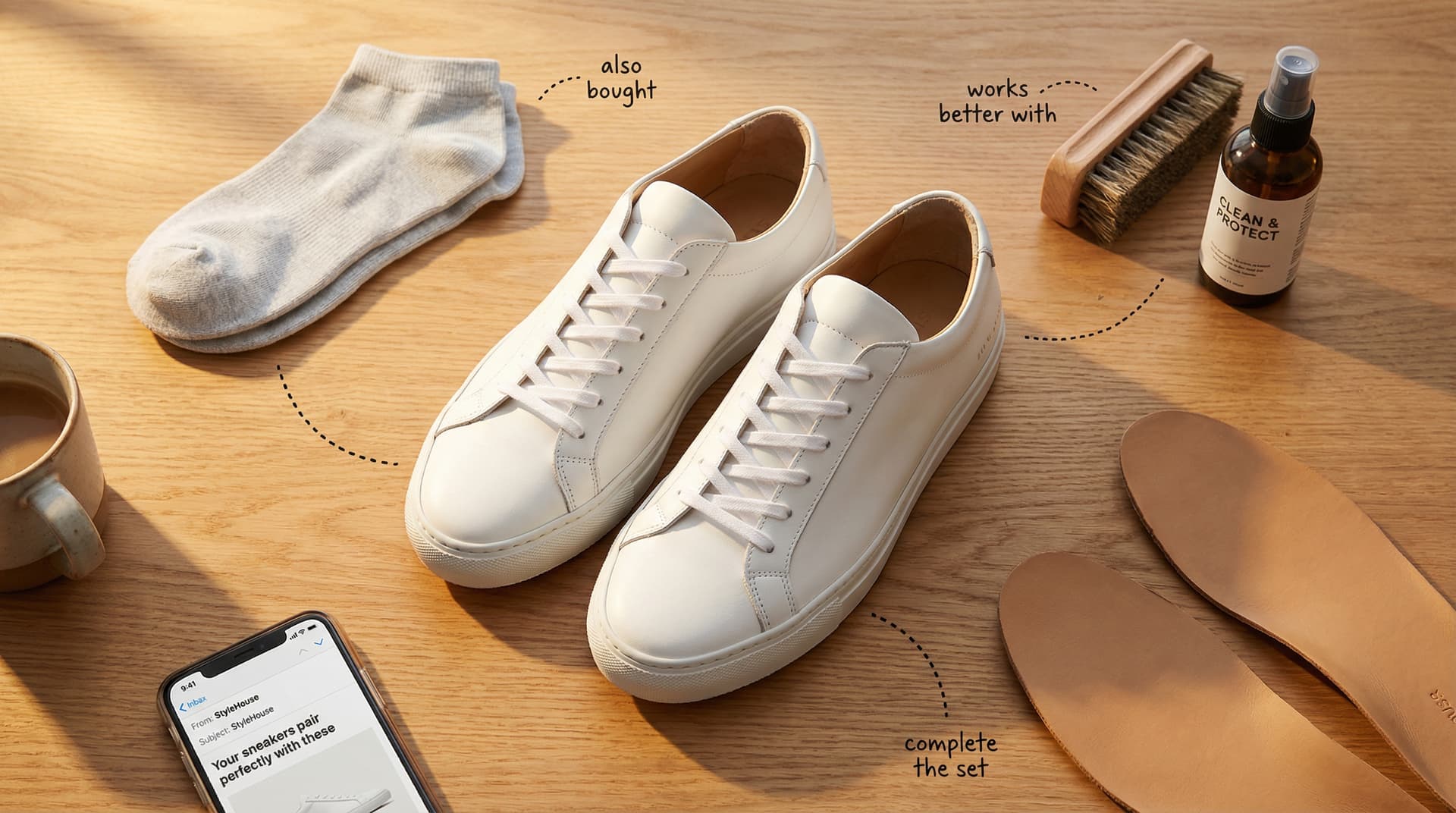
Cross-sell and upsell emails are automated messages that recommend additional or higher-value products after a customer's initial purchase. Cross-selling suggests complementary items ("you bought shoes, here are matching socks"), while upselling promotes premium versions or larger quantities. Together, these emails are the most direct way to increase average order value and customer lifetime value.
Most stores think about cross-sell and upsell as something that happens on the product page or in the cart. And it does — order bumps and "frequently bought together" widgets work. But the email version is different in an important way: it reaches customers after they've used the product, when they can evaluate whether they want more. A cross-sell email at day 21 lands on someone who knows they like your moisturizer and is open to the serum. A cross-sell widget in the cart lands on someone who hasn't tried anything yet and is just guessing.
That timing difference is why cross-sell emails convert at 2–5% on warm audiences, and why they compound — each purchase creates new cross-sell opportunities for the next one.
This is the final post in the Ecommerce Email Lifecycle Series. If you've followed along from the pillar guide through retention, this is the flow that closes the loop. Customers who buy enter post-purchase. Post-purchase leads to cross-sell. Cross-sell that converts feeds the next purchase cycle. The system is designed to be circular.
Cross-Sell vs. Upsell: What's the Difference?
The distinction matters because the email approach is different for each.
Cross-sell recommends complementary products the customer doesn't already have. The customer bought shoes; you suggest socks. They bought a moisturizer; you recommend the serum. The product category is related but distinct. The customer is spending more because they're buying additional products.
Upsell promotes a higher-value version of something the customer already bought or is considering. Upgrade from the 30-day supply to the 90-day. Buy the 3-pack instead of the single. The customer is spending more on the same product category, at a higher price point or volume.
In practice, many stores blend the two. A "customers who bought X also love Y" email might include both a complementary product (cross-sell) and a bundle upgrade (upsell). That's fine — the customer doesn't care about your taxonomy. They care about whether the recommendation is relevant.
When to Send Cross-Sell and Upsell Emails
The timing question is more nuanced than "after purchase." There are four natural moments for cross-sell and upsell, and each requires a different approach.
In the post-purchase flow (Day 14–30 after purchase). This is the primary cross-sell touchpoint and the one most stores should build first. The customer has received the product, used it enough to form an opinion, and is in a positive mindset if the experience was good. Our post-purchase flow guide covers the full 7-email sequence — the cross-sell recommendation is Email 6.
"We help 7-8 figure brands turn email into their most profitable marketing channel. […] our job is to help you generate 30% of your total revenue from email." — Danavir Sarria, Founder, SupplyDrop (ValiantCEO)
Sarria's team at SupplyDrop has worked with brands like Kettle & Fire and Lensabl. Cross-sell flows are one of the surest routes to that 30% target. The revenue doesn't come from blasting product grids — it comes from targeted recommendations timed to the customer's product experience.
As standalone campaigns (seasonal or event-driven). A "complete the look" campaign during a new collection drop, or a "bundle and save" promotion tied to a product launch. These work alongside flows, not instead of them — think of campaigns as the seasonal supplement to your always-on cross-sell flow.
In browse abandonment (show the premium version). If a customer viewed a $49 product and didn't buy, showing them the $79 version with added features in the browse abandonment flow is a soft upsell. It reframes the decision from "should I buy?" to "which one should I buy?" — a much easier question.
In the cart (order bump suggestions). This is less of an email tactic and more of an on-site one, but it feeds the email system. A customer who adds socks to their shoe order in the cart has signaled interest in accessories — which informs future cross-sell email recommendations. (For the full post-purchase sequence that leads into cross-sell, see the post-purchase templates.)
5 Cross-Sell Email Examples
Each example maps to one of the four timing moments above:
| Timing Moment | Best Cross-Sell Examples | Best Upsell Examples |
|---|---|---|
| Post-purchase flow (Day 14–30) | #1 Complete the look, #2 Frequently bought together, #3 Accessories | #3 Buy more save more, #4 Subscription upgrade |
| Standalone campaign | #5 Bundle offer | #5 Limited edition, #2 VIP tier nudge |
| Browse abandonment | — | #1 Premium upgrade (show higher version of viewed product) |
| Cart order bump | #2 Frequently bought together (on-site version) | #3 Buy more save more (quantity add) |
Example 1: "Complete the look" (fashion)
Subject line: "Your [product] pairs perfectly with these." Email shows the customer's purchased product alongside 2–3 complementary items styled together in a lifestyle image. Not a product grid — a curated outfit or set. The "complete the look" framing works because fashion customers think in outfits, not individual items. Including a "shop the full look" CTA with a pre-built collection link reduces friction.
Example 2: "Frequently bought together" (supplements)
Subject line: "Most customers who take [product] also add this." One complementary product with a specific reason for the pairing: "Vitamin D and Magnesium work together for better sleep and bone health — 68% of our Vitamin D customers add Magnesium within 30 days." The stat makes the recommendation feel evidence-based rather than algorithmic. Works best when your purchase data actually supports the claim.
Example 3: "Your [product] works even better with..." (electronics/accessories)
Subject line: "[Name], get more from your [product]." The recommendation focuses on enhancing the product the customer already bought. Phone → case. Camera → extra lens. Laptop → stand. The framing isn't "buy more stuff" — it's "get more value from what you already have." This approach works especially well for electronics where accessories are genuinely useful, not just add-ons.
Example 4: Subscription upgrade (consumables)
Subject line: "Never run out — subscribe to [product] and save [X]%." Sent 21–30 days after purchase for consumable products. The customer has been using the product long enough to know they want more. The email offers a subscription option at a discount vs. one-time reorder. This is an upsell disguised as convenience — the customer pays more per year but gets a better per-unit price and the benefit of never running out.
Example 5: Bundle offer (home goods)
Subject line: "The [Room/Category] bundle — everything you need in one order." A curated set of products that belong together: bathroom set (towels + bath mat + shower curtain), kitchen starter (knife set + cutting board + apron), bedroom refresh (sheets + pillows + duvet). Bundles work for home goods because the purchase cycle is long — the customer might not come back for 6 months unless you give them a reason to buy a complete set now. A bundle discount (save 15% when buying all three) creates urgency that single-product recommendations don't.
5 Upsell Email Examples
Example 1: "Upgrade to [premium version]" (physical goods)
Subject line: "Ready to upgrade, [Name]?" Sent 60–90 days after purchase, when the customer has used the standard version long enough to notice its limitations. Show the premium version side-by-side with what they own. "You have [Standard]. Here's what [Premium] adds: [2–3 specific feature differences]." Include customer reviews from people who upgraded. The side-by-side comparison is what makes this convert — it shows the gap between what they have and what they could have.
Example 2: "You're almost at VIP status" (loyalty tier nudge)
Subject line: "[Name], you're $47 away from VIP." If you have a loyalty program with tiers, this email shows the customer how close they are to the next level. "Spend $47 more and unlock free shipping on every order, early access to new products, and exclusive VIP discounts." The proximity to the tier creates natural urgency without requiring a discount. Works for any store with a loyalty program.
Example 3: "Buy more, save more" (quantity discounts)
Subject line: "Stock up and save — [product] 3-pack for [price]." Offer a quantity discount on the product the customer already bought. "Single [product]: $29. 3-pack: $69 (save 21%)." The math does the selling. This works best for consumable products where the customer knows they'll need more. It's an upsell because the customer spends more per transaction even though the per-unit price drops.
Example 4: Annual vs monthly (subscription)
Subject line: "Switch to annual and save [X]%." For subscription products, this email targets monthly subscribers and shows the annual savings. "You're currently paying $29/mo ($348/year). Switch to annual and pay $249/year — that's $99 in savings." The email should address the commitment concern: "Not sure? You can switch back to monthly anytime." Annual subscribers churn at dramatically lower rates than monthly, so even at a lower price point, the LTV math usually works out.
Example 5: Limited edition / exclusive (scarcity-driven)
Subject line: "For customers who bought [product] — exclusive early access." A limited-edition version of something the customer already owns or loves. "We made 500 of these. You're seeing this before anyone else because you bought [original product]." The scarcity is real, the exclusivity feels earned (it's tied to their purchase history), and the product is relevant because it's a version of something they already love. This approach works for drops-based brands, seasonal products, or any store that does limited runs. The exclusivity framing is the upsell — the customer pays a premium for something not everyone can get.
Product Recommendation Logic in Klaviyo
The quality of your cross-sell and upsell emails depends almost entirely on whether the recommendations are relevant. A generic "you might also like" block with random products gets ignored. A recommendation backed by real purchase data — "customers who bought X also bought Y," and they actually did — gets clicks.
In Klaviyo, you have two options.
Catalog-based recommendations use your product catalog and purchase data to algorithmically suggest related products. Klaviyo analyzes what customers in similar segments bought next and surfaces those products dynamically. This works well for stores with large catalogs and enough purchase history (typically 1,000+ orders) for the algorithm to identify meaningful patterns. The advantage: it scales automatically as your catalog and customer base grow.
Manual curation means mapping your products into "next purchase" groups yourself. Shoes → socks, moisturizer → serum, coffee beans → grinder. You build conditional splits in Klaviyo based on the product purchased and show different recommendations for different product categories. This works for stores with smaller catalogs or when you know the pairings better than an algorithm would.
A cross-sell recommendation needs a reason, not just a product block. "Customers who bought X also love Y" is fine. "Your [moisturizer] works better with [serum] because [specific benefit of the combination]" is significantly better. The explanation turns a recommendation into education, and educated customers convert at higher rates.
The implementation side is the recommendation logic: getting the right product in front of the right customer at the right time. Josh Chin's Chronos agency, which works with over 500 brands, names generic cross-sell logic as a common post-purchase failure.
Setting Up a Cross-Sell Flow in Klaviyo
The cross-sell flow is typically built as part of the post-purchase flow rather than a standalone flow. It's Email 6 in the 7-email post-purchase sequence.
Trigger: The cross-sell email triggers via time delay within the post-purchase flow — typically 10–15 days after the review request email (Email 5), putting it at roughly day 21–30 after purchase.
Flow structure within post-purchase:
- Time delay after review request: 10 days
- Conditional split: has placed another order since entering flow? → Yes: exit (they already bought again). No: continue.
- Email 6: Cross-sell recommendation (dynamic product block or conditional split by product category)
- Time delay: 7 days
- Conditional split: has placed order? → Yes: exit. No: exit to regular campaign schedule.
Product recommendation setup: In the email editor, add a Klaviyo dynamic product block. Select "Product Recommendations" and choose either "Customers also bought" (catalog-based) or a filtered product feed based on the purchased item's category (manual curation via conditional split). If you're using conditional splits, create a branch for each major product category and build a separate recommendation block in each branch.
Flow filters to prevent overlap:
- Exclude customers currently receiving a standalone cross-sell campaign (if you're running both flow and campaign cross-sells, add a "has not received [campaign name] in last 7 days" filter)
- Exclude customers who placed an order in the last 3 days (they're already active — don't cross-sell immediately after they bought again)
What happens when cross-sell doesn't convert: If the customer ignores Email 6, don't send a second cross-sell email from the same flow — it starts to feel like nagging. Instead, exit them to the regular campaign schedule where they'll receive your monthly campaigns. The cross-sell recommendations can reappear in campaign context (seasonal bundle, new collection) without the automated-sequence pressure. If they go 60–120 days without purchasing, the win-back flow picks them up.
What to test
Once the cross-sell flow is running and you have baseline data, start with the number of products: does one focused recommendation ("this one product pairs perfectly") outperform two options that give the customer a choice? Run this over 500+ recipients per variant.
From there, compare catalog-based vs manual recommendations if you have enough data for Klaviyo's algorithm. The algorithm sometimes surfaces unexpected pairings that outperform what you'd curate yourself. Other times it suggests irrelevant products because the data is too thin. The only way to know is to test.
The third variable worth testing is whether adding a reason for the pairing helps. "Customers who bought X also love Y" vs "Your moisturizer works better with serum because [specific benefit]." The explanation often wins, but some audiences just want the product and the button. Let your data decide.
20+ Cross-Sell & Upsell Subject Lines
Cross-sell:
- Your [product] pairs perfectly with this
- Customers who got [product] also love [recommendation]
- Complete the [set/look/routine], [Name]
- [Name], one more thing to go with your [product]
- Your [product] just got a perfect match
- 68% of [product] customers also grab this
- The missing piece for your [product]
Upsell:
- Ready to upgrade, [Name]?
- [Name], you're $[X] away from VIP
- Stock up and save — [product] 3-pack
- Switch to annual and save [X]%
- For [product] owners only — exclusive early access
- The [premium version] just launched, [Name]
- Your [product] has a bigger sibling
Bundle:
- Everything you need in one order
- The [category] starter bundle — save [X]%
- [Name], we built this bundle for you
- Buy together, save together
- The complete [routine/set/system] — [price]
Timing-based:
- You've been using [product] for 3 weeks — what's next?
- Time to add the next step, [Name]
- Your [product] routine just got an upgrade
Measuring Cross-Sell and Upsell Performance
Three metrics tell you whether cross-sell and upsell emails are working.
Cross-sell conversion rate is the percentage of recipients who purchase from the recommendation email. Benchmark: 2–5%. Below 1% usually means the recommendations aren't relevant (wrong products, bad timing, or generic "you might like" blocks instead of targeted suggestions).
Incremental AOV measures whether cross-sell and upsell emails are actually increasing how much each customer spends. Compare the average order value of customers who received cross-sell emails vs. a holdout group who didn't. If the cross-sell group's second-order AOV is 15–25% higher, the recommendations are working.
Impact on CLV is the long-term metric. Cross-sell emails that introduce customers to new product categories (skincare customer who discovers supplements) create multi-category buyers, who have 2–3x higher CLV than single-category buyers. Track this by cohort over 6–12 months. This connects to the broader retention framework — cross-sell isn't just an AOV tactic, it's a retention strategy. And customers who become multi-category buyers are far less likely to churn into the win-back flow because they've built a broader relationship with your brand.
For flow-level comparison, track revenue per recipient for your cross-sell flow vs. other flows. Cross-sell RPR is typically lower than cart abandonment or welcome (because the intent is lower), but the cumulative revenue builds over time as your customer base grows.
Cross-sell and upsell flows only work when the recommendations are relevant. Geysera uses your product catalog and purchase history to build dynamic recommendation logic — not random "you might also like" blocks. See how product intelligence drives AOV →
Frequently Asked Questions
What is a cross-sell email?
A cross-sell email recommends complementary products to a customer based on what they've already purchased. "You bought shoes, here are matching socks" is the classic example. It's typically sent 14–30 days after purchase as part of the post-purchase flow, once the customer has received and used the product. The goal is to introduce them to related products they might not have discovered on their own.
What's the difference between cross-sell and upsell emails?
Cross-sell recommends different, complementary products (shoes → socks). Upsell promotes a higher-value version of the same product (standard → premium, single → 3-pack, monthly → annual). Both increase average order value, but through different mechanisms — cross-sell through breadth (more product categories), upsell through depth (more value per category).
When should I send a cross-sell email after purchase?
14–30 days after purchase for most products. The customer needs enough time to receive, use, and form an opinion about the product before a recommendation feels relevant. Consumable products (supplements, food) can go earlier (14–21 days). Products with longer evaluation periods (electronics, furniture) should wait 30+ days. The timing table by product category is in the post-purchase guide.
How do I set up product recommendations in Klaviyo?
Two approaches: catalog-based recommendations (Klaviyo's algorithm uses your purchase data to suggest what similar customers bought next) or manual curation (you map complementary products yourself and use conditional splits based on the purchased product). Catalog-based works for stores with 1,000+ orders. Manual curation works for smaller catalogs where you know the best pairings. Both are set up using Klaviyo's dynamic product blocks in flow emails.
What's a good conversion rate for cross-sell emails?
2–5% is typical for well-targeted cross-sell recommendations. Below 1% means the products aren't relevant to what the customer purchased, the timing is off (too early or too late), or the email is using generic recommendations instead of purchase-based ones. Compare your cross-sell conversion against your cart abandonment conversion — cart will always be higher (the intent is higher), but cross-sell should be in the 2–5% range.
How do I write an upsell email that doesn't feel pushy?
Lead with value, not price. "Here's what Premium adds" beats "Upgrade for $30 more." Show the specific benefits the customer would gain by upgrading — not features, but outcomes. Include reviews from customers who upgraded. And time it right: an upsell at 60–90 days (after the customer has hit the limitations of the standard version) feels helpful. An upsell at 7 days (before they've used the product) feels like a sales pitch.
Continue the Series
This is the final post in the 12-part Ecommerce Email Lifecycle Series.
Previous: Ecommerce Customer Retention: How Email Drives Repeat Revenue
Full series: Ecommerce Email Lifecycle Series — start from the beginning
If you've read all 12 posts, you now have the complete blueprint for building an ecommerce email program that drives 25–40% of store revenue. The pillar guide ties everything together, and the 90-day strategy roadmap gives you the week-by-week execution plan.
Sources
- Danavir Sarria, ValiantCEO: SupplyDrop Founder Interview
- Aaron Orendorff, former Editor in Chief of Shopify Plus — Bold Commerce
- Chronos Agency: Post-Purchase Flow Guide

Co-Founder and CEO
Bob Thordarson is CEO and Co-Founder of Geysera, a serial entrepreneur with 25+ years and five co-founded ventures, including Cequint (acquired by TNS in 2010 for $112.5M) and Consumerware (acquired by ParkerVision). A graduate of the University of Washington and MIT Entrepreneurial Masters Program, based in Seattle, he serves on the boards of DRY Soda Co. and the Entrepreneurs' Organization Seattle chapter. He is an expert in retention marketing email systems and methodology for ecommerce and B2B brands — measured by incremental revenue, not vanity metrics.