Re-Engagement Email: The Complete Guide to Saving Your Dead Subscribers
A 100K list with 20% dead weight performs worse than an 80K engaged list.
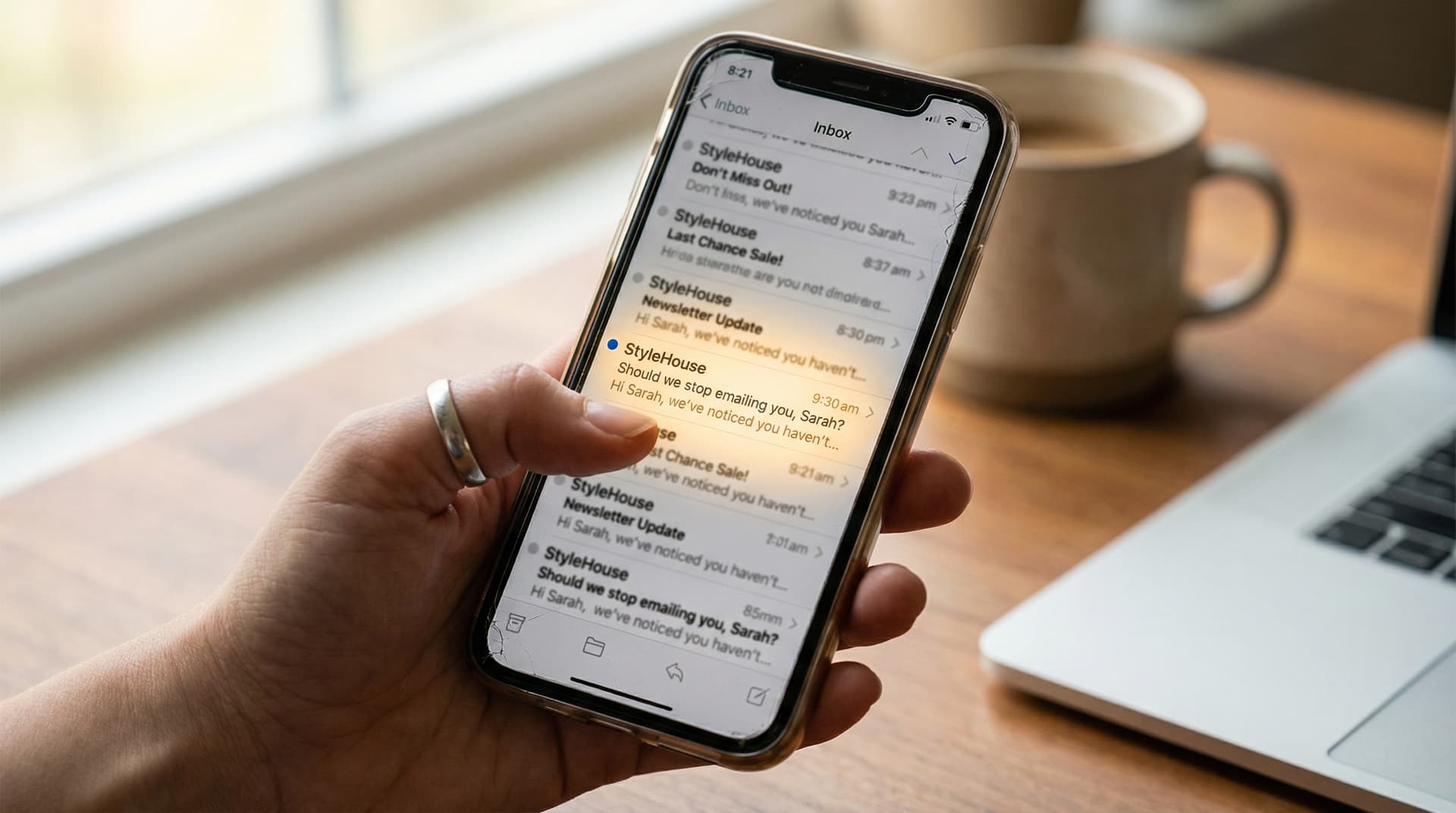
This is post 8 of 12 in the Ecommerce Email Lifecycle Series. Previous: Win-Back Email Examples & Templates.
A re-engagement email is an automated message sent to subscribers who haven't opened or clicked any email in a defined period — typically 90 days or more. Unlike win-back emails (which target lapsed purchasers), re-engagement emails focus on reactivating dormant subscribers to protect deliverability, since ISPs penalize senders with large inactive lists.
Nobody likes talking about this flow. Every other flow in the lifecycle adds revenue directly — welcome converts subscribers, cart abandonment recovers sales, post-purchase drives repeat orders. Re-engagement is the flow where you admit that a chunk of your list is dead weight, and you either revive them or let them go.
But here's why it matters as much as any revenue-generating flow: inactive subscribers don't just sit there harmlessly. They actively damage your email program. Gmail and Yahoo track your engagement rates, and when a large percentage of your list never opens or clicks, those ISPs start routing more of your emails to spam — not just for the inactive subscribers, but for everyone. Your best customers' emails end up in spam because you were too attached to a list number that stopped meaning anything months ago.
This guide covers how to identify inactive subscribers, what to send them, when to let go, and how to build the whole thing in Klaviyo. (For where re-engagement fits in the full 7-flow lifecycle, it's the final flow — the one that protects everything else.)
Why Re-Engagement Matters for Deliverability
The connection between list hygiene and deliverability isn't theoretical. It's mechanical.
"Email deliverability is the most important yet grossly neglected element of email marketing success." — Adam Kitchen, CEO, Magnet Monster (Magnet Monster Deliverability Bible)
Kitchen's point is that it doesn't matter how good your subject lines are or how well your flows are built if your emails aren't reaching the inbox. And list engagement, along with authentication, is a key deliverability factor within your control.
Here's how the math works. Say you have a 100K email list. 20% of those subscribers haven't opened or clicked anything in 90+ days. That's 20,000 contacts who receive every campaign and flow email, contribute zero engagement, and drag down your aggregate open and click rates.
Gmail sees those rates. When your engagement drops, Gmail starts testing: it routes a small batch of your emails to spam and watches what happens. If nobody complains or fishes them out, Gmail routes more to spam. This affects your entire list — not just the inactive segment.
A 100K list with 20% dead weight will almost always underperform an 80K list with 95%+ engagement. The smaller list gets better inbox placement and higher open rates on the emails that actually matter. More of your emails reach the people who want them.
"For success, you're better off focusing on metrics that are as far down the funnel as you can measure — ideally email conversions, revenue, and other business-centric metrics." — Chad S. White, GVP of CRM Strategy, Zeta Global (Inboxroad)
White's argument connects directly here. The brands that obsess over list size (a vanity metric) instead of list engagement (a business metric) end up with deliverability problems that silently reduce the revenue of every email they send.
When to Send Re-Engagement Emails
Defining "inactive" is the first decision, and getting it wrong means either emailing people too early (annoying) or too late (they're already gone).
The standard threshold is 90 days with no opens or clicks. But since Apple MPP inflated open rates starting in 2021, you can't rely on opens alone. A subscriber who appears to "open" every email might just have MPP auto-loading tracking pixels.
Use click-based engagement windows instead. A subscriber who hasn't clicked anything in 90 days is genuinely inactive. Clicks can't be faked the way opens can.
In Klaviyo, the segment definition is: "Has not clicked email at least once in the last 90 days" AND "Has received email at least 5 times in the last 90 days" (this second condition ensures you're not flagging someone as inactive who simply hasn't been sent enough emails to engage with).
Some brands use 60 days. Some use 120. Jay Schwedelson says that if someone goes 30 days without opening your emails, 70% of those contacts will never open anything from you again. That stat argues for shorter windows — by 90 days, you're already dealing with contacts who are very unlikely to come back. But 90 remains the most common threshold because it gives seasonal buyers and infrequent shoppers a fair window before you flag them.
Re-Engagement vs. Win-Back vs. Sunset
These three flows overlap enough that people confuse them constantly, but the audiences and goals are genuinely different.
| Re-Engagement | Win-Back | Sunset | |
|---|---|---|---|
| Who | Subscribers who stopped opening/clicking | Customers who purchased but haven't returned | Subscribers who failed re-engagement |
| Trigger | 90+ days no opens/clicks | 60–120 days since last purchase | No response to re-engagement sequence |
| Goal | Reactivate or confirm interest | Drive repeat purchase | Remove from list, protect deliverability |
| Typical sequence | 3 emails over 10 days | 4 emails over 21 days | 1–2 final emails |
| Incentive | Rarely (preference center instead) | Escalating (soft → discount → final) | None — opt-in confirmation only |
| If no response | Move to sunset | Move to sunset | Suppress permanently |
The key distinction: win-back targets lapsed buyers (people who purchased and stopped). Re-engagement targets dormant subscribers (people who stopped engaging with your emails, regardless of purchase history). A subscriber might have never purchased — they signed up, received 20 emails, gradually stopped opening them, and are now costing you deliverability without ever having contributed revenue.
For the full win-back playbook, see our win-back email guide.
The Re-Engagement Email Sequence
Three emails over 10 days. That's it. Re-engagement is shorter than win-back because the goal is different — you're not trying to sell, you're trying to get a signal. Either the subscriber confirms they want to stay, or they confirm (through silence) that they don't.
Email 1: "Are you still interested?" (Day 0)
The first email is a gentle value reminder. No selling and no guilt trip. Show the subscriber what they've been missing — your best recent content, new products, or a curated "highlights" roundup. The goal is to give them a reason to re-engage that isn't an obligation.
Subject line options: "We've been sending emails — are they landing?" or "[Name], here's what's been happening" or "Your inbox has been quiet (from our end, at least)."
Keep the tone warm. These subscribers signed up voluntarily at some point. They were interested once. The first email's job is to find out if any of that interest remains.
Email 2: "Here's what you've missed" (Day 3)
Curate the best of whatever happened since they went quiet. If you launched new products, show them. If you published content they'd care about, link to it. If a product they previously browsed got rave reviews since then, surface that.
Subject line options: "[Name], here's what you've missed" or "3 things that happened while you were away" or "We launched something you'll want to see."
This email works best when it's genuinely useful, not just a recap. "Here are 3 products that launched while you were away" with strong product photography and one CTA beats a newsletter-style roundup of everything that happened. Keep the tone helpful, not salesy — you're giving the subscriber a reason to care again before you ask them to make a decision in Email 3.
Email 3: "Should we stop emailing you?" (Day 7)
This is the email that does the actual work. An explicit opt-in request with two clear options.
"We've noticed you haven't been opening our emails. That's fine — we just don't want to clutter your inbox. Click below to let us know what you'd prefer."
Two options for how to structure this. The two-button approach gives "Keep emailing me" (re-confirms opt-in, returns them to regular sends) and "I'd rather not" (immediately suppresses their profile — no more emails from any flow or campaign). The single-button approach is simpler: "Click here to stay on our list. If we don't hear from you in 7 days, we'll remove you from regular emails." Non-clickers get suppressed after the 7-day window.
The two-button version gives you cleaner data because you can distinguish between active opt-outs ("I'd rather not") and passive non-responders (didn't click anything). Both groups get suppressed, but knowing the split helps you understand whether the problem is disinterest or deliverability — if your emails aren't reaching inboxes, even interested subscribers won't click.
Either way, the boldness is what makes this email effective. It forces a decision. The subscribers who click "stay" are genuinely re-engaged, and their next few emails will get better engagement. The ones who don't respond were already contributing nothing.
After the sequence: what happens to non-responders
If a subscriber doesn't respond to any of the three re-engagement emails, move them to suppression. Don't delete — suppress. You keep the data for analytics and can re-include them in a future quarterly check if you want to.
Some brands run a quarterly re-engagement cadence for suppressed subscribers: one email every 90 days with the subject line "Still want to hear from us?" It's a lightweight way to catch subscribers who went through a temporary life change (new job, moved, had a kid) rather than those who permanently lost interest. But keep the volume low — sending a monthly email to a suppressed list defeats the purpose.
Re-Engagement Strategies That Work
The three emails above are the backbone, but the approach within them can vary.
The most underused tactic is the preference center. Instead of asking "stay or go?" you offer a middle ground: "Choose what you want to hear about and how often." Some subscribers go inactive not because they hate your brand but because they're getting too many emails about things they don't care about. A preference center in Klaviyo (linked from Email 1 or 2, updating profile properties that control segment membership) lets them downgrade frequency rather than disappearing entirely.
Subject lines matter more in re-engagement than in any other flow because you're writing to people who've been ignoring you. Subject lines that provoke curiosity ("We noticed something about your account" or "Did we do something wrong?") outperform generic "we miss you" lines because they create a reason to click that isn't guilt. For more subject line approaches, the companion examples post covers this in depth.
Another option: a one-click survey. "What would you like to hear about?" gives you data on why subscribers went inactive while simultaneously counting as engagement — which improves their ISP reputation even if they don't purchase.
One thing to avoid: discounts. Unlike win-back where the customer has a purchase history and an incentive might nudge a repeat order, re-engagement subscribers may have never bought anything. A discount for someone who's never converted is margin loss with no proven upside.
A note on SMS for re-engagement: it's tempting but proceed carefully. If a subscriber has stopped engaging with email, an SMS might break through — texts have 90%+ open rates. But SMS re-engagement can feel intrusive in a way that email doesn't. A text from a brand you forgot about feels like a boundary violation. If you do try it, limit to one text (no sequence), use it as an alternative Email 1, and only for subscribers who originally opted into SMS. Don't add SMS contacts to a re-engagement text campaign if they only opted into email.
What to A/B test
Once your re-engagement flow is running, here's what to test first.
The inactive threshold (60 vs 90 vs 120 days) has the biggest impact on who enters the flow. Shorter windows catch more people earlier, which means higher reactivation rates but also more false positives (subscribers who aren't actually lapsed yet). Longer windows mean fewer entries but more genuinely gone contacts. Run both over two quarterly cycles and compare reactivation rates and deliverability impact. This is the test that shapes everything else.
After that, test the Email 3 format (single-button vs two-button) and subject lines on Email 1. The Email 1 subject line matters most because if they don't open it, the rest of the sequence is dead. Test curiosity ("We noticed something about your account") against direct ("Haven't heard from you in a while, [Name]") against micro-panic ("Oops — did something go wrong?"). Your list may favor any of the three.
The Sunset Flow: When to Let Go
The sunset flow is the final step after re-engagement fails. It's not a separate flow in most Klaviyo setups — it's what happens at the end of the re-engagement sequence.
When a subscriber doesn't respond to all three re-engagement emails, they move to suppression. In Klaviyo, this means adding them to a suppressed segment or manually suppressing their profile. They stay in your database but stop receiving emails.
The deliverability impact is immediate. Removing 15–20% of an inactive list typically improves open rates by 5–15% across the entire remaining list within 2–4 weeks. That's not because your emails suddenly got better — it's because ISPs are no longer penalizing you for sending to people who never engage.
There's a budget benefit too. Klaviyo charges by active profiles. If you're paying for 100K profiles and 20K of them haven't clicked anything in six months, that's money spent on contacts who generate zero revenue. Suppressing them reduces your monthly bill while improving the performance of every email you send to the remaining 80K. You spend less and get better results. Hard to argue with that.
How often to sunset: quarterly is the most common cadence. Every 90 days, run the re-engagement segment, send the 3-email sequence to anyone who qualifies, and suppress the non-responders. Some brands with aggressive sending schedules (daily campaigns) run it monthly.
One important nuance: exclude recent purchasers from re-engagement triggers. A customer who bought last week but hasn't clicked an email in 90 days is an active customer with low email engagement — that's different from a subscriber who's genuinely gone. In Klaviyo, add "Has not placed order in last 30 days" as an additional segment condition to avoid catching active buyers in the re-engagement net.
Building the Re-Engagement Flow in Klaviyo
Trigger: Segment-triggered flow. Segment definition: "Has not clicked email at least once in the last 90 days" AND "Has received email at least 5 times in the last 90 days" AND "Has not placed order in the last 30 days."
Flow structure:
- Email 1: "Are you still interested?" (no delay)
- Time delay: 3 days → Conditional split: has clicked any email since entering flow? → Yes: exit (re-engaged). No: continue.
- Email 2: "Here's what you've missed"
- Time delay: 4 days → Conditional split: has clicked any email since entering flow? → Yes: exit. No: continue.
- Email 3: "Should we stop emailing you?"
- Time delay: 7 days → Conditional split: has clicked "stay" link or any email? → Yes: exit. No: suppress profile.
Flow filters:
- Exclude anyone currently in the welcome series
- Exclude anyone currently in the win-back flow
- Exclude anyone who has placed an order in the last 30 days
- Exclude anyone who was suppressed in the last 90 days (prevents re-suppressing someone who just went through this flow)
Re-entry: Enable re-entry so subscribers who get re-engaged but later go inactive again can re-enter the flow. Without this, a subscriber who clicks "stay" in Q1 but goes inactive again by Q3 won't get another chance.
Engagement-based conditional splits: After re-engagement, consider adding re-engaged subscribers to a "warming" segment that receives fewer campaigns for the next 30 days. Blasting someone with 4 campaigns the week after they barely clicked "stay" is a fast way to lose them again.
Measuring Re-Engagement Success
The metrics here are different from revenue-focused flows. You're measuring list health, not sales.
Reactivation rate — what percentage of inactive subscribers re-engaged — will run 2–5%. That sounds low, and it is. But these subscribers hadn't engaged in 90+ days. Getting even 3% of them back is a win. The other 97% were going to hurt your deliverability regardless.
The metric that actually justifies this flow is deliverability improvement. Track your overall open rates, click rates, and inbox placement before and after each quarterly suppression cycle. Most brands see a 5–15% improvement in open rates across the remaining list within 2–4 weeks. Your list will shrink — that's the point. A smaller, engaged list generates more revenue than a larger, disengaged one because more emails reach the inbox.
Watch your spam complaint rate too. It should drop after suppression. If it doesn't, the problem isn't inactive subscribers — it's your content or sending frequency. Track complaints before and after each cycle using Klaviyo's deliverability dashboard or Google Postmaster Tools.
Most brands either ignore their inactive subscribers (killing deliverability) or blast discounts at them (training more subscribers to go inactive). Geysera builds re-engagement flows that protect your sender reputation while recovering the subscribers worth keeping. See the deliverability difference →
Frequently Asked Questions
What is a re-engagement email?
A re-engagement email is an automated message sent to subscribers who haven't opened or clicked any email in a defined period, typically 90+ days. Its goal is to either reactivate the subscriber or identify them for removal. Unlike win-back emails (which target lapsed purchasers), re-engagement emails target dormant subscribers regardless of purchase history, and the primary benefit is protecting deliverability for your engaged list.
How long should I wait before sending a re-engagement email?
90 days with no clicks is the most common threshold. Some brands use 60 days (more aggressive) or 120 days (more lenient). Jay Schwedelson's data suggests 70% of contacts who go 30 days without opening will never open again, which argues for shorter windows. Use click-based definitions rather than opens, since Apple MPP makes open tracking unreliable.
What's the difference between re-engagement and win-back emails?
Re-engagement targets dormant subscribers who stopped engaging with your emails, regardless of whether they ever purchased. Win-back targets lapsed customers who bought before but haven't returned. Re-engagement focuses on list health and deliverability. Win-back focuses on revenue recovery. Both end with a sunset/suppression step if the subscriber doesn't respond.
Should I offer a discount in a re-engagement email?
Generally no. Re-engagement subscribers may have never purchased, so a discount has no proven ROI. Instead, offer a preference center (let them choose frequency and topics) or simply ask if they want to stay. Save discounts for the win-back flow where the customer has a purchase history and the economics work.
When should I remove subscribers from my email list?
After they fail to respond to a 3-email re-engagement sequence (typically 10 days after the first email). Suppress rather than delete — you keep the data for analytics and can include them in a quarterly re-check. Subscribers who don't respond to re-engagement are actively hurting your deliverability by dragging down engagement rates.
How does list hygiene affect email deliverability?
ISPs (Gmail, Yahoo, Outlook) track your engagement rates — open rates, click rates, spam complaints. When a large percentage of your list never engages, ISPs start routing more of your emails to spam for everyone, including engaged subscribers. Regular list hygiene (quarterly re-engagement + suppression of non-responders) keeps your engagement rates high, which keeps your emails in the inbox.
What's a good reactivation rate for re-engagement emails?
2–5% is typical. This sounds low, but the contacts you're emailing haven't engaged in 90+ days — most of them are genuinely gone. The real value of the re-engagement flow isn't the 2–5% you recover. It's the deliverability improvement from suppressing the 95–98% who don't respond. That suppression improves inbox placement for every email you send going forward.
Continue the Series
Previous: Win-Back Email Examples & Templates
Next: Re-Engagement Email Subject Lines & Examples That Win Opens
Full series: Ecommerce Email Lifecycle Series
Sources
- Magnet Monster: Email Marketing Deliverability Bible for Ecommerce Stores
- Inboxroad: Expert Interview with Chad S. White on Email Marketing Rules
- Jay Schwedelson's email tips, HubSpot recap

Co-Founder and CEO
Bob Thordarson is CEO and Co-Founder of Geysera, a serial entrepreneur with 25+ years and five co-founded ventures, including Cequint (acquired by TNS in 2010 for $112.5M) and Consumerware (acquired by ParkerVision). A graduate of the University of Washington and MIT Entrepreneurial Masters Program, based in Seattle, he serves on the boards of DRY Soda Co. and the Entrepreneurs' Organization Seattle chapter. He is an expert in retention marketing email systems and methodology for ecommerce and B2B brands — measured by incremental revenue, not vanity metrics.