Browse Abandonment vs. Cart Abandonment vs. Checkout Abandonment: The Complete Email Recovery Playbook
Most stores run one abandonment flow and miss two-thirds of the funnel. Browse abandonment catches window shoppers who never carted (1-3% conversion, massive volume). Checkout abandonment catches people who entered payment info and bailed (10-15%). Stack all three with suppression and a store doing $15K/month in cart recovery jumps to $33K. The trick is frequency capping so nobody gets 8 emails about the same product. Full playbook for running all three flows without over-emailing.
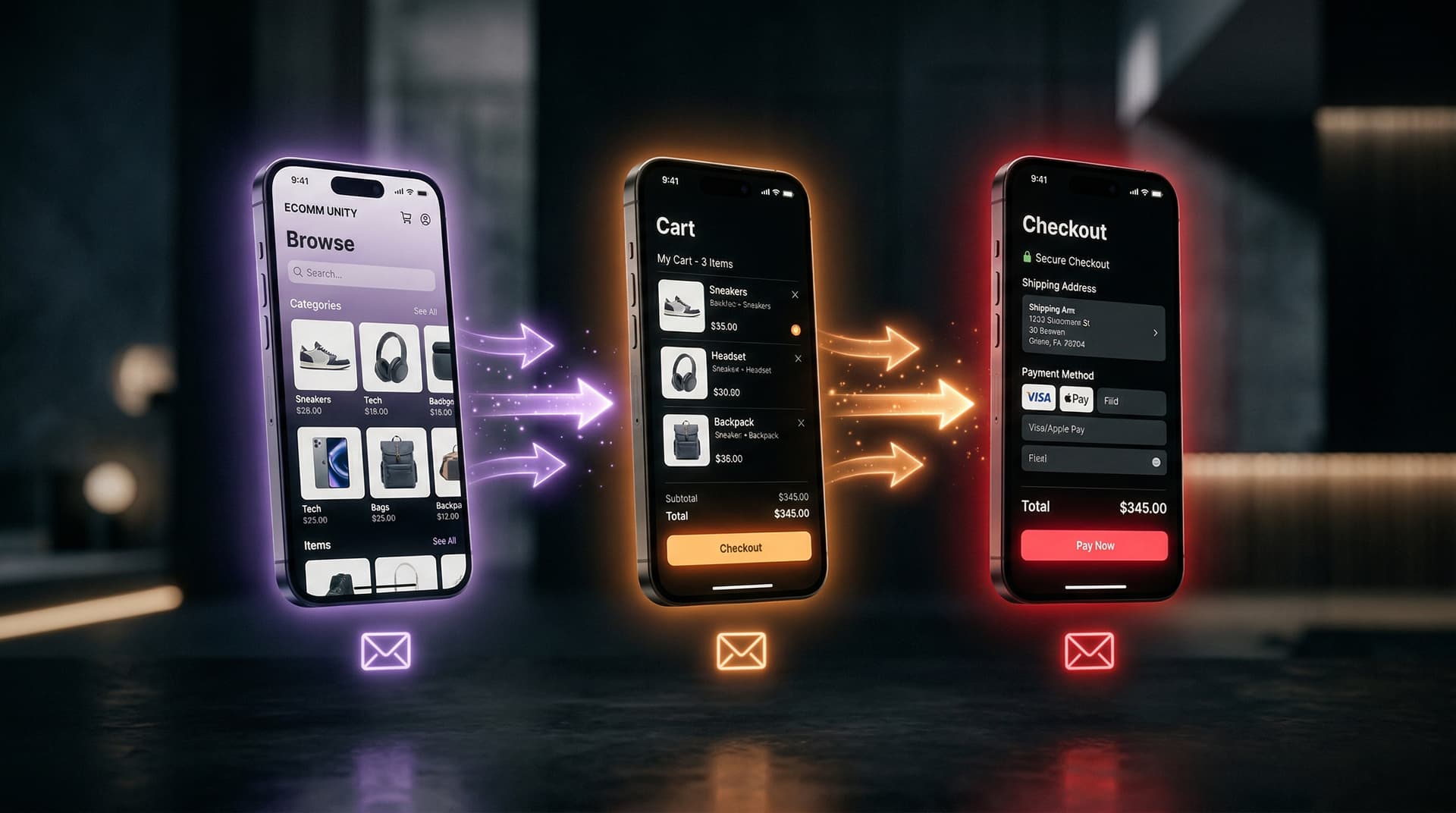
Three different types of abandonment. Three different email flows. Most stores only run one of them.
The short version
- Browse abandonment: someone viewed a product and left without adding to cart. Lowest intent. Highest volume. Conversion rate: ~1-3%.
- Cart abandonment: someone added to cart and left without starting checkout. Mid-intent. This is where most recovery effort focuses. Conversion rate: 5-10%.
- Checkout abandonment: someone started checkout (entered email, maybe payment info) and didn't finish. Highest intent. Conversion rate: 10-15%+.
- Running all three as separate flows, with proper suppression between them, captures the full abandonment funnel. Most stores only run cart abandonment and miss the other two.
- Browse abandonment emails have 62.9% higher open rates than standard marketing emails. About 10% of recipients make a purchase. This flow is pure found money for stores that aren't running it.
- The key to stacking all three: frequency capping and suppression logic so a single customer doesn't receive 9 emails about the same product in three days.
Most "abandoned cart email" guides treat abandonment as one thing. It's not. A customer who glanced at a product page for eight seconds and a customer who entered their credit card number and closed the tab are in completely different mental states. Treating them the same is like giving the same pitch to someone walking past your store and someone standing at the register with their wallet out.
This guide covers all three types of abandonment, when each email flow fires, what the content should look like for each, and how to run them simultaneously without bombarding your customers. If you've already built a cart abandonment flow from our main guide, this is the next level: capturing the people who never made it to the cart and the people who made it past the cart.
This post is part of our Abandoned Cart Email Ultimate Guide series.
Browse abandonment, cart abandonment, and checkout abandonment are three distinct email triggers targeting different points in the purchase funnel. Browse targets window shoppers (lowest intent), cart targets shoppers who added items (medium intent), and checkout targets those who started payment (highest intent).
The abandonment funnel
Here's how the three types relate to each other. Think of it as a funnel where each stage has higher intent and lower volume than the last:
| Stage | What happened | Volume | Intent level | Email conversion rate |
|---|---|---|---|---|
| Browse abandonment | Viewed a product page, didn't add to cart | Very high | Low | 1-3% |
| Cart abandonment | Added to cart, didn't start checkout | High | Medium | 5-10% |
| Checkout abandonment | Started checkout, didn't complete purchase | Lower | High | 10-15%+ |
The customer count decreases at each stage but intent increases. Thousands of people browse your product pages. A fraction add to cart. A fraction of those start checkout. And a fraction of those actually buy.
Every stage where someone drops off is a recovery opportunity. The mistake most stores make is building a flow for the middle (cart abandonment) and ignoring the top (browse) and bottom (checkout) of the funnel.
Browse abandonment emails
What triggers them
The "Viewed Product" event. A known subscriber visits a product page on your site and leaves without adding anything to their cart. The key word is "known" -- you need to be able to identify the visitor, which means they've either logged in, clicked through from an email, or been matched through cookie/pixel tracking.
Anonymous visitors who browse and leave can't receive browse abandonment emails because you don't have their email address. This is where identity resolution tools like Retention.com come in, but that's a separate topic.
Why they work
According to Klaviyo (2025), browse abandonment emails have 62.9% higher open rates than standard marketing emails. The reason is simple: the email is about something the customer just looked at. It's relevant. It's timely. It references a specific product they showed interest in, which makes it feel personal rather than promotional.
About 10% of recipients make a purchase. That's lower than cart abandonment (10.7%) because the intent is lower -- they didn't add to cart, they just looked. But the volume is much higher. For every cart abandoner, there might be 5-10 browse abandoners. Even at a 1-3% conversion rate, the total recovered revenue from browse abandonment can rival or exceed cart abandonment.
Timing
The standard: 1-2 hours after the browse event. Not 15 minutes (too aggressive for someone who just looked at a product page) and not the next day (too late to be relevant).
Klaviyo's default is a 2-hour delay. According to Rejoiner (2025), 60 minutes is the optimal send time for browse abandonment emails. The difference between 1 and 2 hours is small. The difference between 1 hour and 24 hours is large.
Keep the flow to 2 emails maximum. This person didn't even add to cart. Three emails about a product they glanced at will feel invasive.
Content strategy
The tone needs to be much softer than cart abandonment. This person wasn't buying. They were looking. Your email should feel like a helpful suggestion, not a recovery attempt.
Email 1 (1-2 hours after browse):
- "Still interested in the [Product]?"
- Product image, name, price
- One CTA: "Take another look" or "View product"
- Optional: "Customers also liked..." with 2-3 related products
Including related products makes more sense here than in cart abandonment emails. The customer was browsing. They might not have found exactly what they wanted. Showing alternatives increases the chance that something in the email matches their actual preference.
Email 2 (24-48 hours later, optional):
- Social proof: reviews, star ratings, popularity signals
- "The [Product] has 4.8 stars from 2,000+ customers"
- CTA: "See why people love it"
Don't offer a discount in browse abandonment emails. The customer hasn't shown purchase intent. Discounting a product someone briefly looked at trains the wrong behavior and wastes margin.
What not to do
Don't trigger browse abandonment on every page view. If someone views 15 products in one session, they should not get 15 emails. Set a frequency cap: maximum one browse abandonment email per customer per 7-14 days. Most ESPs support this through flow filters ("Has not been in this flow in the last X days").
Don't send browse abandonment emails to someone who's already in your cart abandonment flow. If they viewed a product, added it to cart, and abandoned, they should get the cart flow -- not both.
Browse abandonment email subject lines
The subject line for browse abandonment needs to be softer than cart abandonment. You're referencing something they looked at, not something they were buying. The difference matters.
Lines that work:
- "Still browsing? The [Product] caught your eye"
- "Back for another look at the [Product]?"
- "[Name], this might be the one"
- "People who viewed the [Product] also loved..."
- "The [Product] is popular right now"
Lines to avoid:
- "You forgot something!" (they didn't forget -- they chose not to add to cart)
- "Complete your purchase!" (they didn't start a purchase)
- "Your cart is waiting" (they don't have a cart)
The distinction might seem small, but customers notice when an email references an action they didn't take. Saying "you left something in your cart" to someone who never carted anything feels inaccurate and slightly intrusive. Saying "still interested?" feels like a reasonable nudge.
Browse abandonment examples from real brands
Amazon pioneered browse abandonment at scale. Their "Inspired by your browsing history" emails include the viewed product plus a grid of related items. The format works because Amazon's catalog is enormous and the customer likely didn't see every relevant option during their browse session.
Nordstrom sends a clean, visually elegant browse email showing the viewed product with "Still thinking about this?" copy. Below it: "You might also like" with curated alternatives. No discount. No urgency. Just gentle persistence.
Wayfair leans heavily on browse abandonment for furniture. Their emails show the viewed item with room-setting photography -- how the couch looks in a living room, how the table looks in a dining room. This is smart for considered purchases where the customer needs to visualize the product in their space.
Sephora combines the viewed product with "trending in your category" items below. Beauty shoppers browse a lot. Showing related products increases the chance that something in the email matches what they're actually looking for.
The common thread: browse abandonment emails that include related products alongside the viewed item consistently outperform emails showing only the single viewed product. This is the opposite of cart abandonment, where related products are a distraction. In browse abandonment, the customer hasn't committed to a specific product yet. Showing options helps rather than distracts.
For a deeper dive into building browse flows from scratch, see Browse Abandonment Emails: The Complete Strategy Guide.
Cart abandonment emails
This is the flow covered in depth throughout the rest of this series. A quick summary of how it differs from browse and checkout abandonment:
Trigger
"Added to Cart" or "Started Checkout" (depending on your platform and flow architecture). The customer has taken a concrete action beyond browsing -- they've put the product in the cart.
Timing
Email 1 at 30-60 minutes. Email 2 at 24 hours. Email 3 at 48-72 hours. The full breakdown is in our flow timing guide.
Content strategy
More direct than browse abandonment. The customer was buying. Your email shows them exactly what they left behind with a direct link back to their cart. Social proof in email 2. Possible incentive in email 3.
Conversion benchmarks
5-10% average. According to Klaviyo (2026), the average cart abandonment RPR is $3.65, while the top 10% of brands achieve $28.89 (based on 183,000+ brands).
For the full cart abandonment guide, see: The Perfect Abandoned Cart Email Flow
Checkout abandonment emails
What triggers them
The "Started Checkout" or "Checkout Started" event. The customer reached the checkout page, entered at least some information (typically their email address), and left without completing the purchase. This is the highest-intent abandonment because they were actively trying to buy.
Why checkout abandonment is different from cart abandonment
Intent. A cart abandoner might have been casually adding items. A checkout abandoner was entering their shipping address. They were closer to the finish line and something specific stopped them.
The reasons for checkout abandonment tend to be more concrete than cart abandonment:
- Unexpected shipping costs revealed at the final step
- Payment method not available
- Credit card declined or payment error
- Security concerns at the payment stage
- Required account creation before payment
- Checkout form was too long or confusing
Because the reasons are more specific, the recovery email can be more targeted.
Content strategy
Checkout abandonment emails should be more action-oriented and service-oriented than cart abandonment emails. The customer was trying to buy. Something went wrong. Your email should help them finish what they started.
Email 1 (30 minutes):
- "Need help completing your order?"
- Cart contents with link directly to checkout (not to the product page, not to the cart page -- to the checkout with their information pre-filled if possible)
- Customer service contact: phone number, live chat link, or "reply to this email"
- Trust signals: secure checkout badge, return policy
The service angle matters here. If the customer hit a payment error or got confused by the form, asking "Need help?" gives them a path to resolution that "Don't forget!" doesn't.
Email 2 (24 hours):
- Address the most common checkout-specific objections
- "Free shipping on your order" (if shipping cost was the barrier)
- "We accept PayPal, Apple Pay, and Google Pay" (if payment method was the issue)
- Customer reviews for reassurance
Email 3 (48-72 hours):
- Incentive if applicable
- Cart expiration warning
- Final customer service offer
Conversion benchmarks
Checkout abandonment emails typically convert at 10-15%+, roughly 2x the rate of standard cart abandonment emails. This makes sense -- the audience was further down the purchase path and had higher intent.
If your platform distinguishes between the two triggers (Klaviyo does), the checkout abandonment flow should be your highest-priority abandoned flow. It has the smallest audience but the highest conversion rate and RPR.
How to stack all three flows without over-emailing
Running three abandonment flows simultaneously creates a real risk: the same customer receiving 7-8 emails in three days about the same product. That will earn you an unsubscribe, not a sale.
The solution is suppression logic and frequency capping. Here's how to set it up:
Rule 1: Higher-intent flow takes priority
If a customer triggers multiple flows for the same product:
- Checkout abandonment supersedes cart abandonment
- Cart abandonment supersedes browse abandonment
Set flow filters so that if someone enters a higher-intent flow, they're automatically removed from the lower-intent one:
- Browse abandonment flow filter: "Has Not Added to Cart since starting this flow"
- Cart abandonment flow filter: "Has Not Started Checkout since starting this flow" (for the Added to Cart trigger)
Rule 2: Frequency cap across all flows
No customer should receive more than one abandonment email per 24-hour period, regardless of which flow it comes from. If they got a cart abandonment email at 10 AM, the browse abandonment email scheduled for 2 PM should be suppressed or delayed.
In Klaviyo, you can set this using smart sending windows (minimum gap between emails from any flow). A 16-24 hour smart sending window prevents stacking.
Rule 3: Global suppression after purchase
If a customer purchases the product at any point, all flows related to that product should stop. This seems obvious but misconfigured flows regularly send discount emails to people who already bought at full price. Add a flow filter to every flow: "Has Placed Order > at least once since starting this flow."
Rule 4: Cool-down between flow entries
A customer shouldn't re-enter the same flow more than once per 7-14 days. If they browse the same product three times in a week, they should get one browse abandonment sequence, not three. Set a flow filter: "Has not been in this flow in the last 14 days."
The revenue math of a complete abandonment stack
To see why running all three flows matters, here's a simplified example for a store with 100,000 monthly site visitors:
| Stage | Monthly volume | Email conversion | Avg. order value | Monthly recovered revenue |
|---|---|---|---|---|
| Browse abandonment (known visitors) | 8,000 | 2% | $65 | $10,400 |
| Cart abandonment | 3,000 | 7% | $75 | $15,750 |
| Checkout abandonment | 800 | 12% | $80 | $7,680 |
| Total | $33,830 |
Without the browse and checkout flows, the store recovers $15,750. With all three, it recovers $33,830. That's an additional $18,000/month -- $216,000/year -- from two extra automated flows that you set up once.
These numbers are illustrative, not guaranteed. Your actual results depend on your traffic, your products, and the quality of your flows. But the pattern is consistent: stores running all three flows recover significantly more than stores running just one.
Measuring your combined stack
Once all three flows are running, track these metrics at the flow level and at the overall program level:
Flow-level RPR. Revenue per recipient for each flow separately. Checkout abandonment should have the highest RPR (highest intent, highest conversion). Browse abandonment should have the lowest RPR per recipient but potentially the highest total revenue due to volume.
Total abandonment recovery revenue. The combined revenue from all three flows. Track this as a percentage of total email revenue and as a percentage of total store revenue. A well-built three-flow stack typically contributes 15-25% of total email revenue.
Cross-flow overlap rate. What percentage of customers are triggering multiple flows? If it's above 15-20%, your suppression logic might need tightening. High overlap means some customers are getting too many emails about the same products.
Unsubscribe rate per flow. Browse abandonment should be watched closely here. Because these are low-intent visitors, they're more likely to unsubscribe from aggressive follow-up. If your browse flow unsub rate is above 0.5% per email, dial back the frequency or soften the content.
Incremental revenue test. The gold standard: hold back 5-10% of each flow's audience and compare purchase rates. The delta is the truly incremental revenue from each flow. This prevents you from over-attributing revenue to flows that are emailing people who would have bought anyway.
Platform setup for each flow
Klaviyo
All three flows are supported natively. Use:
- Viewed Product trigger for browse abandonment
- Added to Cart trigger for cart abandonment
- Started Checkout trigger for checkout abandonment
Klaviyo's flow builder supports the conditional splits and filters needed for suppression logic between flows. They also have pre-built templates for each flow type that you can customize.
Omnisend
Supports browse abandonment, cart abandonment, and checkout abandonment as separate automation triggers. The visual workflow builder handles suppression between flows. Good for stores wanting all three in one platform without Klaviyo's complexity.
Mailchimp
Supports cart and checkout abandonment through the Customer Journey Builder. Browse abandonment requires additional tracking setup (Mailchimp's native browse tracking is limited compared to Klaviyo). If browse abandonment is a priority, Mailchimp may not be sufficient.
WooCommerce
Depends on your plugin stack. AutomateWoo supports all three flow types. Most free cart abandonment plugins only handle cart or checkout, not browse. For the full WooCommerce setup, see our WooCommerce guide - coming soon.
Geysera manages all three abandonment flows — browse, cart, and checkout — inside your Klaviyo account. Each flow is measured independently by incremental lift. See how it works →
What is the difference between browse abandonment and cart abandonment?
Browse abandonment emails target people who viewed products but never added to cart. Cart abandonment emails target people who added items but didn't check out. Browse has lower intent and lower conversion rates but catches a much larger audience. The email tone and content strategy should reflect where the customer actually stopped in the funnel.
Frequently asked questions
What's the difference between browse abandonment and cart abandonment?
Browse abandonment means someone viewed a product page but didn't add to cart. Cart abandonment means they added to cart but didn't start checkout. The intent level is different -- browse is window shopping, cart is starting to buy. The email tone and content should reflect that difference.
Which abandonment flow should I build first?
Cart abandonment (or checkout abandonment if your platform distinguishes them). It has the best conversion rate among the three and the most proven playbook. Build browse abandonment second, after your cart flow is optimized.
Can I run all three flows at the same time?
Yes, with proper suppression logic. Higher-intent flows take priority. Frequency cap across flows to prevent over-emailing. Suppress all flows after purchase. The rules are covered in the "stacking" section above.
How many browse abandonment emails should I send?
Two maximum. These are low-intent visitors. One reminder with the product they viewed, plus an optional follow-up with social proof or related products. Three emails about a product someone briefly looked at is too many.
Should I offer a discount in a browse abandonment email?
No. The customer hasn't shown purchase intent (they didn't even add to cart). Discounting at the browse stage wastes margin and sets the wrong expectations. Save discounts for email 3 of your cart abandonment flow.
What if the same customer triggers all three flows?
Suppression logic handles this. If someone views a product, adds to cart, and starts checkout, only the checkout abandonment flow should run (it's the highest intent). The cart and browse flows should be suppressed by flow filters checking for the higher-intent events.
Do I need Klaviyo for browse abandonment?
Klaviyo is the most common platform for browse abandonment flows because of its Viewed Product tracking integration with Shopify. Omnisend also supports it well. Mailchimp's browse tracking is more limited. If browse abandonment is a priority, choose a platform that supports it natively.
Back to the pillar: Abandoned Cart Email: The Ultimate Guide
Next in the series: WooCommerce Abandoned Cart Email: Complete Setup and Plugin Guide - coming soon
This guide is the hub of a 13-part series on abandoned cart email. Each spoke post goes deeper on a specific topic:
- Abandoned Cart Email: The Ultimate Guide to Recovering Lost Revenue in 2026
- Abandoned Cart Email Subject Lines That Actually Get Opened
- Cart Abandonment Rate by Industry: 2026 Benchmarks
- The Perfect Abandoned Cart Email Flow: Timing and Sequence
- 40+ Abandoned Cart Email Examples from Top DTC Brands
- Abandoned Cart Email vs. SMS: Which Recovers More Revenue?
- Why Customers Abandon Carts (And How to Fix Each Reason)
- Abandoned Cart Email Discounts: When to Offer and When to Hold Back
- How to Set Up Abandoned Cart Emails in Klaviyo + Shopify
- Abandoned Cart Email Design: Templates, Layout, and CTA Best Practices
- Browse Abandonment vs. Cart Abandonment: The Complete Recovery Playbook (you are here)
- WooCommerce Abandoned Cart Email: Complete Setup and Plugin Guide (coming soon)
- Mailchimp Abandoned Cart Email for WooCommerce: Setup and Plugin Guide (coming soon)
Sources
- Klaviyo Browse Abandonment Email Guide
- Klaviyo Help Center: Browse Abandonment Flow Setup
- Flowium: Browse Abandonment Flow in Klaviyo
- Ecommerce Intelligence: Browse Abandonment Emails
- BlueSnap: Cart Abandonment vs Checkout Abandonment
- Privy: Cart vs Checkout Abandonment
- RichClicks: Cart Abandonment vs Checkout Abandonment with Klaviyo
- Klaviyo 2026 Benchmarks (183,000+ brands)
- Rejoiner: Browse Abandonment Timing Research

Co-Founder and CEO
Bob Thordarson is CEO and Co-Founder of Geysera, a serial entrepreneur with 25+ years and five co-founded ventures, including Cequint (acquired by TNS in 2010 for $112.5M) and Consumerware (acquired by ParkerVision). A graduate of the University of Washington and MIT Entrepreneurial Masters Program, based in Seattle, he serves on the boards of DRY Soda Co. and the Entrepreneurs' Organization Seattle chapter. He is an expert in retention marketing email systems and methodology for ecommerce and B2B brands — measured by incremental revenue, not vanity metrics.