Why Customers Abandon Carts in 2026 (And How to Fix Every Reason)
Cart abandonment gets treated like one problem. It is not. A customer who left because shipping was $12 needs a different email than one who bounced at mandatory signup. Baymard tracked the reasons across 49 studies — unexpected costs (48%), just browsing (43%), forced accounts (26%), security fears (25%). Each has an on-site fix and an email fix. The stores hitting 10%+ recovery rates diagnose the reason first, then write the email. This covers both fixes for all seven reasons.
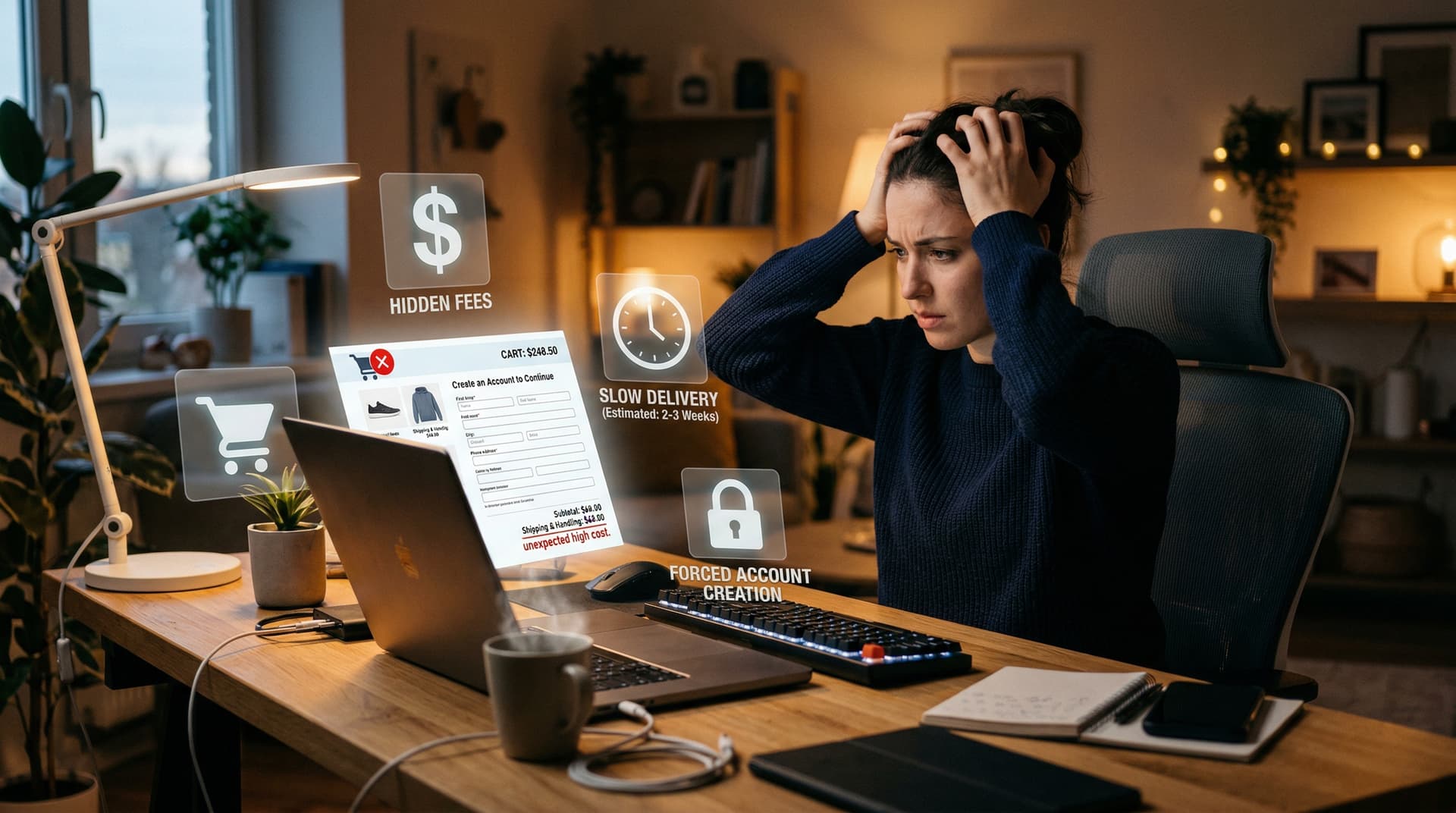
Seven out of ten carts get abandoned. But the reasons are specific, measurable, and fixable -- if you know which ones apply to your store.
The short version
- 48% of abandoners leave because of unexpected costs at checkout. Shipping, taxes, fees they didn't see coming.
- 43% were just browsing. They were never going to buy. You can't email your way out of this one.
- 26% bounced because the site required account creation.
- 25% had credit card security concerns.
- 24% left because delivery was too slow.
- 18% gave up on a checkout that was too long or complicated.
- 13% abandoned because their preferred payment method wasn't available.
- Each reason has two fixes: an on-site fix (prevent the abandonment) and an email fix (recover the cart after it happens). This guide covers both.
Most cart abandonment content treats it like a single problem with a single solution: send a reminder email. But "cart abandonment" is actually seven different problems wearing the same name. A customer who left because shipping was $12 needs a different email than one who left because they couldn't find a guest checkout option. And both of them need a different approach from someone who was never going to buy in the first place.
Baymard Institute has been tracking the reasons behind cart abandonment for over a decade. Their data comes from quantitative surveys of thousands of US online shoppers, and the rankings have been remarkably stable. The same reasons have been at the top since they started measuring. Which means the industry knows what the problems are. Most stores just haven't fixed them.
This guide covers each reason in order of frequency, with the data behind it, the on-site fix (preventing the abandonment from happening), and the email fix (recovering the cart when prevention fails). Because the best abandoned cart email in the world doesn't help if the reason someone left is something you could have fixed on the page.
According to Baymard Institute (2024), $260 billion in US and EU ecommerce revenue is recoverable through better checkout design alone. That's not a typo. The opportunity here is enormous.
This post is part of our Abandoned Cart Email Ultimate Guide series.
Customers abandon carts for predictable reasons. Unexpected costs account for 48% of abandonments, followed by "just browsing" at 43% and price comparison at 30%, according to Baymard Institute. Understanding the specific reasons affecting your store lets you segment recovery emails by abandonment trigger.
Why do customers abandon their carts?
The top five reasons are unexpected costs at checkout (48%), just browsing with no intent to buy (43%), comparison shopping for a better price (30%), required account creation (26%), and credit card security concerns (25%). Each reason calls for a different on-site fix and a different recovery email strategy.
What is the #1 reason for cart abandonment?
Unexpected costs -- shipping fees, taxes, and handling charges that weren't visible on the product page. Baymard Institute data shows 48% of abandoners cite this as the reason they left. Showing total costs early on the product page and offering free shipping in recovery emails are the two most effective counters.
Reason 1: Unexpected costs (48%)
This is the big one. Nearly half of all cart abandoners leave because the final price was higher than they expected. Shipping costs, taxes, service fees, handling charges -- anything that wasn't visible on the product page but shows up at checkout.
The psychology is straightforward. The customer forms a mental price anchor when they see the product price. If the product is $45, they've already decided $45 is what they're paying. When checkout reveals $45 + $8.99 shipping + $3.82 tax = $57.81, the gap between expectation and reality triggers a negative reaction. The product hasn't changed. The perceived value has.
The on-site fix
Show total costs early. On the product page or in the cart, not at the final checkout step. Shopify and most platforms support dynamic shipping calculators that estimate cost before the customer starts checkout. Some stores show "Free shipping over $50" prominently on every page, which sets expectations before anyone adds anything to a cart.
The stores that have done this well see abandonment drops of 15-25% on the shipping-related segment. It's one of the highest-ROI changes you can make to a checkout.
The email fix
Your abandoned cart email should directly address cost. Two approaches work:
Offer free shipping. Free shipping converts about twice as well as percentage discounts. If your margins support it, a free shipping offer in email 2 or email 3 directly solves the reason this customer left. "Free shipping on your order -- today only" is more effective than "10% off" because it specifically removes the pain point.
Show the full cost upfront. If you can't offer free shipping, at least make the email transparent about what the customer will pay. Include product price, shipping cost, and total in the email body. No surprises when they click through. Some customers left because they didn't know the cost. Others left because they knew it and didn't like it. Transparency helps the first group. Free shipping helps the second.
Reason 2: Just browsing (43%)
Almost half of cart abandoners tell researchers they were never going to buy. They were browsing. Comparing. Using the cart as a wishlist. Killing time on their phone.
This is the reason that makes cart abandonment rate benchmarks misleading. When 43% of your "abandoners" were never customers, your true abandonment rate among actual intending buyers is much lower than the headline 70%.
The on-site fix
You can't prevent browsing. You can make it easier for browsers to come back later. Wishlists, saved carts, and "email my cart" features let browsers bookmark what they like without feeling pressured to buy now. Some stores send browse abandonment emails (different from cart abandonment) that gently surface recently viewed products without the urgency of a cart recovery flow.
The email fix
This is where your approach needs to shift. A hard-sell "Complete your purchase!" email sent to someone who was just browsing feels tone-deaf. They weren't purchasing. They were shopping.
A softer approach works better for this segment: "Still looking? Here are some of our favorites" or "New arrivals similar to what you were browsing." This isn't really a cart recovery email anymore -- it's a browse abandonment nurture. If you can segment your flow to distinguish between someone who added to cart and immediately left (likely browsing) versus someone who reached the checkout page and left (likely a real objection), you can send different messages to each.
The hard truth: you won't recover most of the 43%. That's fine. Focus your cart recovery effort on the 57% who were actually buying and hit a specific obstacle.
For more on browse abandonment as a separate flow: Browse Abandonment vs. Cart Abandonment (coming soon)
Reason 3: Price comparison shopping (30%)
Three in ten abandoners are checking whether they can find it cheaper somewhere else. They added to cart, now they're opening tabs to Amazon, to the manufacturer's site, to a coupon extension.
This is rational behavior. Especially for products above $50, most online shoppers compare at least two sources before buying. Your product isn't being rejected. Your price is being audited.
The on-site fix
Price match guarantees. "Found it cheaper? We'll match it." This removes the reason to leave in the first place. Best Price Guarantee badges near the add-to-cart button have been shown to reduce comparison-driven abandonment. Even if only 1% of customers actually request a price match, the badge's presence keeps far more customers from leaving to check.
Coupon and loyalty program visibility also helps. If you have a first-order discount or a loyalty program that applies, make sure the customer sees it before they leave to check competitor pricing.
The email fix
Address the comparison directly. "Still deciding? Here's why customers choose us" followed by your differentiators: free returns, better warranty, faster shipping, customer reviews from people who switched from a competitor.
You can also use a price-drop alert approach. If the item goes on sale within the cart recovery window, notify the customer. Columbia does this well -- "Good news about items in your cart" with a "Reveal the new price" CTA. It reframes the discount as lucky timing rather than desperation.
Don't compete purely on price in the email. If someone left to find it cheaper, they'll either find it cheaper (and you've lost them regardless) or they won't (and they'll come back). Your email should give them reasons to buy from you beyond price: reviews, return policy, shipping speed, brand trust.
Reason 4: Required account creation (26%)
One in four abandoners left because the store forced them to create an account before checking out. They had their credit card ready. They wanted to buy. And you asked them to pick a password.
This one frustrates me personally because it's entirely self-inflicted. The customer is trying to give you money and you've put a wall between them and the checkout because some product manager decided you needed their data before they could buy.
The on-site fix
Offer guest checkout. Period. Every major ecommerce platform supports it. If you need the customer to create an account for post-purchase features (order tracking, returns, subscriptions), ask after the transaction. Not before. Shopify, WooCommerce, and BigCommerce all allow you to create an account from order data after checkout completion, so the customer gets an account without the pre-purchase friction.
One-page checkouts reduce abandonment by about 20% on average. According to Contentsquare (2025), reducing checkout from five steps to three cuts abandonment by 27%.
The email fix
This one is tricky because if the customer abandoned before creating an account, you may not have their email address. If you captured it through a pop-up, browse behavior, or a partially completed checkout form, your email should link directly to a guest checkout page with their cart pre-loaded. Not to a login page. Not to a "create account" page. To the cart. One click to checkout.
The subject line can acknowledge the friction: "[Name], skip the signup -- your cart is waiting" or "No account needed -- complete your order as a guest."
Reason 5: Security concerns (25%)
A quarter of abandoners worry about their credit card information being stolen. This fear is higher on mobile, on unfamiliar sites, and for first-time customers.
The on-site fix
Trust signals throughout the checkout process. SSL badges, payment provider logos (Visa, Mastercard, PayPal, Apple Pay), money-back guarantees, and clear privacy statements. These aren't just decoration. Contentsquare's data shows that trust badge visibility on checkout pages correlates with measurably lower abandonment in the 25-34 age group, which is the most active ecommerce demographic and also the most fraud-aware.
Offering PayPal, Apple Pay, and Google Pay as payment options helps because the customer doesn't have to enter credit card details directly. They authenticate through a service they already trust. Apple Pay and Google Pay are the highest-impact payment additions you can make, eliminating card number entry entirely through biometric authentication.
The email fix
Your email should include trust signals: "256-bit encrypted checkout," "Trusted by [X,000] customers," links to your privacy policy, and logos of accepted payment methods. For first-time customers, a return policy mention helps too -- "Not happy? Full refund within 30 days" reduces the perceived risk of the transaction.
A personal note from the founder or customer service team can also work: "If you have any questions about security or anything else, reply to this email and a real person will get back to you." Making it possible to reply (instead of sending from noreply@) signals that there's a human behind the brand.
Reason 6: Complicated checkout (18%)
Too many fields, too many pages, unclear progress, confusing form validation, unexpected steps. 18% of abandoners give up because the checkout is simply too annoying to complete.
The on-site fix
Baymard's checkout research is the best resource on this. According to Baymard Institute (2024), the average checkout has 23 form elements, while an optimized checkout needs only 12-14. Every unnecessary field costs you conversions.
Specific fixes that move the number:
Auto-fill wherever possible. Address, city, state from zip code. Card type from card number. Anything the browser or payment provider can fill in, let it.
Progress indicators. A simple "Step 2 of 3" bar reduces anxiety about how much is left. Customers who can see the end are less likely to bail mid-process.
Inline validation. Tell people there's an error while they're filling in the field, not after they hit submit. Nothing kills checkout flow like a red error banner that sends someone back to fix a phone number format.
Mobile optimization specifically. Numeric keyboard for phone and zip code fields. Large tap targets for buttons. No horizontal scrolling. These aren't cosmetic choices. They directly affect completion rates on the 80% of traffic coming from phones.
The email fix
You can't fix a bad checkout with an email. But you can route the customer around the worst of it.
If your platform supports it, the cart recovery email should link to a checkout page with the cart pre-loaded and as many fields pre-filled as possible. The customer's name, email, and shipping address from a previous order or their account data. The fewer fields they see when they arrive, the more likely they are to finish.
Alternatively, offering checkout via phone or live chat in the email can convert customers who gave up on the web form. "Need help completing your order? Call us at [number] or reply to this email." Some stores recover 3-5% of their abandoned carts through assisted checkout.
Reason 7: Limited payment methods (13%)
13% of customers abandon because their preferred payment method isn't available. This hits hardest in international markets where local payment methods dominate. iDEAL in the Netherlands. Boleto Bancario in Brazil. Klarna and Afterpay for buy-now-pay-later shoppers.
The on-site fix
Add the payment methods your customers actually use. For US stores, the priority order is: credit/debit card, PayPal, Apple Pay, Google Pay, Shop Pay (Shopify), and at least one BNPL option (Klarna, Afterpay, Affirm). For international stores, research the dominant local payment method in your top markets and add it.
Offering diverse payment options increases conversion by 12-15% on average. Apple Pay and Google Pay specifically eliminate the friction of entering card numbers, which also addresses the security concern (Reason 5).
The email fix
If you recently added a new payment method, mention it in the email: "Now accepting Apple Pay -- checkout in one tap." For BNPL specifically, the email can highlight the payment plan: "Pay in 4 interest-free installments with Klarna" is a stronger CTA than "Complete your order" for customers whose cart value exceeds their comfort zone for a single payment.
How to diagnose which reasons affect YOUR store
The Baymard data tells you what happens across the industry. But your store has its own specific profile. Here's how to find your actual problem areas:
Check your checkout funnel in Google Analytics. GA4's funnel exploration report shows exactly where customers drop off: cart page, shipping info, payment info, or confirmation. A spike at the shipping info step suggests cost surprises. A spike at the payment step suggests security or payment method issues.
Look at your exit pages. If people are leaving from the shipping calculator page, unexpected costs are your problem. If they're leaving from the "create account" page, that's your problem. The data is usually obvious once you look.
Read your customer service tickets. Search for "checkout," "shipping cost," "payment," "account." Your support team hears the reasons every day. They probably already know what's wrong and nobody has asked them.
Survey post-abandonment. Some stores add a single-question exit survey triggered when a customer moves to close the tab or navigate away from checkout: "What stopped you from completing your purchase today?" The response data is gold.
Segment your cart recovery email performance. If your first email (no discount) has a high conversion rate, most of your abandoners just needed a reminder -- they're the "got distracted" segment. If email 3 (with a discount) converts much better than email 1, you've got a price or cost problem.
Segmenting your cart recovery emails by abandonment reason
The advanced move is to send different emails based on the likely reason for abandonment. Most ESPs can't read the customer's mind, but they can use proxy signals:
| Signal | Likely reason | Email approach |
|---|---|---|
| Left at shipping cost screen | Unexpected costs | Lead with free shipping offer |
| Left at account creation page | Required signup | Link to guest checkout |
| Left at payment page | Security or payment method | Include trust signals and alternative payment options |
| Added to cart, left immediately | Just browsing | Softer nurture, not hard recovery |
| Reached checkout, spent 3+ minutes, left | Complicated checkout | Offer phone/chat assistance |
| High-AOV cart ($200+) | Price comparison or consideration | Social proof, reviews, price match guarantee |
| First-time visitor | Trust and security concerns | Trust signals, return policy, customer reviews |
| Returning customer | Likely distraction | Simple reminder, no discount needed |
You won't get this level of segmentation on day one. Start with a basic three-email flow. Then, as you collect data on where customers drop off and which emails convert best, start branching the flow based on the signals above.
The stores that segment their cart recovery by abandonment reason consistently report 2-3x higher recovery rates than stores sending the same generic email to everyone.
Prevention vs. recovery: where to invest first
Here's a prioritization framework:
If your abandonment rate is above your industry average: Fix the on-site problems first. No email sequence compensates for a checkout that surprises people with shipping costs, forces account creation, or takes six steps to complete. The on-site fixes listed above are one-time changes that reduce abandonment permanently.
If your abandonment rate is at or below your industry average: Your checkout is working. Now invest in recovery. Build a three-email flow with the right timing and content for each position (timing flow guide here). This recovers the inevitable abandonment that happens even on a perfect checkout.
If you've done both: Segment. Use the table above to send different emails based on the likely abandonment reason. This is where the real performance gains are in 2026.
Baymard's $260 billion estimate is split roughly between prevention (checkout optimization) and recovery (email, SMS, retargeting). Both matter. But prevention comes first because it reduces the volume of carts you need to recover, making your recovery flow work harder on a smaller, higher-intent audience.
Geysera segments recovery emails by abandonment reason -- so price-sensitive shoppers get a different message than browsers who were just comparing. See how it works →
Frequently asked questions
What is the #1 reason customers abandon their carts?
Unexpected costs at checkout, cited by 48% of abandoners. Shipping, taxes, and fees that weren't visible on the product page. Show total costs early to prevent it. Offer free shipping in your cart recovery email to recover it.
What percentage of cart abandoners were just browsing?
43%. These people were never going to buy. They used the cart as a wishlist or were killing time. You can't recover this segment with a cart email. A softer browse abandonment nurture is the better approach for them.
Can a cart recovery email fix a bad checkout?
Not really. If your checkout is too complicated, requires account creation, or springs surprise costs, the email is a bandaid. Fix the on-site experience first. The email recovers the inevitable abandonment that happens even with a good checkout.
Should I send different emails based on why someone abandoned?
Yes, if your ESP and data support it. A customer who left at the shipping cost screen should get a free shipping offer. A customer who left at account creation should get a guest checkout link. Generic emails work. Segmented emails work 2-3x better.
How much revenue is recoverable through checkout optimization?
Baymard estimates $260 billion across the US and EU. For individual stores, reducing checkout from five steps to three cuts abandonment by 27%. Adding guest checkout and showing costs early can drop abandonment by 15-25% in the cost-sensitive segment.
How do I find out why my customers specifically are abandoning?
Check your GA4 checkout funnel report for where the drop-offs happen. Read customer service tickets for mentions of checkout friction. Add a one-question exit survey. Segment your cart email performance by email position. The data is usually there. You just need to look.
Back to the pillar: Abandoned Cart Email: The Ultimate Guide
Next in the series: Abandoned Cart Email Discounts: When to Offer and When to Hold Back
This guide is the hub of a 13-part series on abandoned cart email. Each spoke post goes deeper on a specific topic:
- Abandoned Cart Email: The Ultimate Guide to Recovering Lost Revenue in 2026
- Abandoned Cart Email Subject Lines That Actually Get Opened
- Cart Abandonment Rate by Industry: 2026 Benchmarks
- The Perfect Abandoned Cart Email Flow: Timing and Sequence
- 40+ Abandoned Cart Email Examples from Top DTC Brands
- Abandoned Cart Email vs. SMS: Which Recovers More Revenue?
- Why Customers Abandon Carts (And How to Fix Each Reason) (you are here)
- Abandoned Cart Email Discounts: When to Offer and When to Hold Back
- How to Set Up Abandoned Cart Emails in Klaviyo + Shopify
- Abandoned Cart Email Design: Templates, Layout, and CTA Best Practices
- Browse Abandonment vs. Cart Abandonment: The Complete Recovery Playbook (coming soon)
- WooCommerce Abandoned Cart Email: Complete Setup and Plugin Guide (coming soon)
- Mailchimp Abandoned Cart Email for WooCommerce: Setup and Plugin Guide (coming soon)
Sources
Baymard Institute Cart Abandonment Research (49 studies, 2012-2026) | Baymard Institute Checkout Usability Research | Statista US Cart Abandonment Reasons 2025 | Contentsquare Cart Abandonment Statistics | Shopify Checkout Optimization Guide | BigCommerce Abandoned Cart Recovery Guide 2026 | ConvertCart Cart Abandonment Rate Statistics | Mobiloud Cart Abandonment Statistics 2026

Co-Founder and CEO
Bob Thordarson is CEO and Co-Founder of Geysera, a serial entrepreneur with 25+ years and five co-founded ventures, including Cequint (acquired by TNS in 2010 for $112.5M) and Consumerware (acquired by ParkerVision). A graduate of the University of Washington and MIT Entrepreneurial Masters Program, based in Seattle, he serves on the boards of DRY Soda Co. and the Entrepreneurs' Organization Seattle chapter. He is an expert in retention marketing email systems and methodology for ecommerce and B2B brands — measured by incremental revenue, not vanity metrics.