WooCommerce HubSpot Integration in 2026: What It Won't Do
HubSpot is one of the best CRMs a WooCommerce store can run, but its ecommerce automation is thin and bolted on through a sync. The whole first page of Google for "woocommerce hubspot" is connector plugins, none of which answer what to do after the data lands in HubSpot. Here is why WooCommerce stores choose HubSpot, where its cart, browse, and winback automation falls short, and how to add the missing ecommerce layer without leaving the CRM you already pay for.
This is post 5 of 17 in the WooCommerce Email Marketing in 2026 Series. Previous: WooCommerce + SendGrid in 2026: From Transactional-Only to Full-Funnel Without Migration
Search "woocommerce hubspot" and the entire first page answers one question: how do I connect the two? HubSpot's own partner page sits at the top, followed by the MakeWebBetter connector, the WooCommerce.com docs for that connector, a Reddit thread, and a stack of sync plugins. Every result is about getting store data into HubSpot. Not one of them tells you what to do once it lands there.
That is the real WooCommerce-plus-HubSpot problem in 2026. The connection is a solved problem. The automation is not.
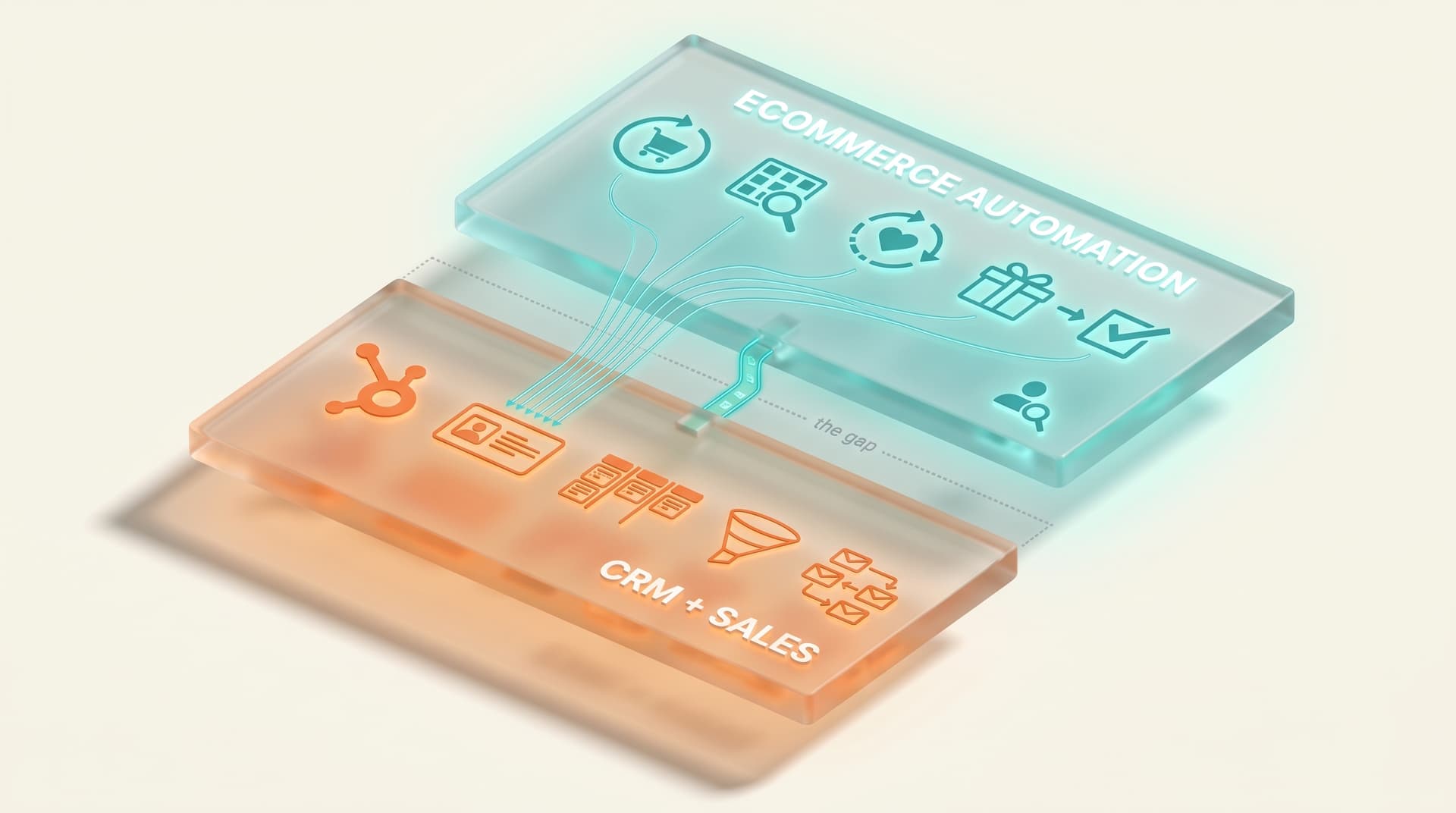
A WooCommerce HubSpot integration is the plumbing that syncs your store's customers, orders, and products into HubSpot's CRM so you can market and sell to them from one contact record. It is genuinely useful, and for the right store HubSpot is one of the best platforms you can run. But HubSpot was built for business-to-business lifecycle nurture, and the ecommerce flows that actually move revenue (cart recovery, browse abandonment, post-purchase, subscription winback) are where a CRM-first tool runs shallow. This guide covers why WooCommerce stores pick HubSpot anyway, exactly where the ecommerce gap opens up, and how to close it without ripping out the CRM your sales team already lives in.
KEY STATS
- WooCommerce powers roughly 33% of all online stores by volume, more than any other ecommerce platform (Magespark, 2026)
- The first page of Google for "woocommerce hubspot" is entirely connector and sync tools: MakeWebBetter, Outfunnel, and CRM Perks occupy six of the top organic results, and none address ecommerce-flow depth (DataForSEO SERP analysis, June 2026)
- MakeWebBetter's HubSpot for WooCommerce connector, HubSpot's most-installed WooCommerce app, holds a 4.4 out of 5 rating across 159 marketplace reviews (HubSpot Ecosystem, 2025)
- 80-95% of paid Meta and Google traffic to a typical WooCommerce store never identifies, the anonymous-visitor blind spot every CRM-anchored stack shares (industry visitor-identification analyses, 2025-2026)
- Cart abandonment across ecommerce sits at roughly 70% in 2026, the single largest recoverable revenue line and the one CRM-first tools handle most generically (Statista, 2026)
- Roughly 40% of marketing-platform migrations stall before the first send, which is why "rip out HubSpot" is usually the wrong reaction to a flow gap (Mailflow Authority, 2026)
- Data sourced from the live "woocommerce hubspot" SERP (DataForSEO, June 2026), the HubSpot App Marketplace, and aggregated 2025-2026 ecommerce benchmarks
What's in this guide:
- Why WooCommerce stores run HubSpot
- What HubSpot does better than any ecommerce ESP
- How WooCommerce actually connects to HubSpot
- Where the ecommerce automation gap opens up
- The two-tool fix: keep the CRM, add the automation layer
- Stay on HubSpot, migrate, or add a layer?
- What this looks like on WooCommerce specifically
- Frequently asked questions
Why WooCommerce stores run HubSpot
Most WooCommerce stores on Mailchimp or Klaviyo got there because they wanted email. Stores on HubSpot got there for a different reason. They wanted a CRM.
The WooCommerce store running HubSpot in 2026 usually fits one of three profiles. It is a business-to-business or hybrid operation where a salesperson follows up on larger orders and needs deal tracking, not just a campaign tool. It is a subscription or higher-average-order-value DTC brand where the relationship with a customer is worth nurturing over months. Or it is a company that already standardized on HubSpot for sales and service across the whole business and bolted the store onto the same system so everything lives in one contact record.
In all three cases the store chose HubSpot for the CRM and the marketing came along for the ride. That order of operations matters, because it explains the gap. HubSpot's center of gravity is the contact and the deal. The store is a source of data feeding that contact, not the thing the platform was designed around.
Josh Kohlbach, founder of Rymera Web Co and the maker of Advanced Coupons and Wholesale Suite, builds for exactly these stores: WooCommerce operations that run wholesale tiers, B2B accounts and retail at the same time. Stores like that juggle CRM-style account relationships and ecommerce behavior in parallel, which is the precise hybrid HubSpot was built to serve on the sales side and underbuilt to serve on the storefront side.
What HubSpot does better than any ecommerce ESP
It is worth being honest about HubSpot's strengths, because the gap argument only works if you grant them.
HubSpot's CRM is excellent. Contact records are deep, the timeline view of every interaction is the cleanest in the category, and the free tier is genuinely usable. Its deal pipelines and sales tooling have no real equivalent in Klaviyo or Mailchimp, which are marketing tools that bolted on light CRM features rather than the reverse. For a store with a human sales motion on bigger orders, that pipeline is the whole reason to be there.
Lifecycle stages and list segmentation are mature. HubSpot models a contact's journey from subscriber to lead to customer with a rigor that ecommerce ESPs rarely match, and its workflow builder handles complex branching logic well. For long B2B nurture, the kind where a prospect gets a sequence of educational emails over weeks before a salesperson reaches out, HubSpot is hard to beat.
And the unification is real. When marketing, sales, and service all read and write to the same contact record, you stop reconciling three tools. For a hybrid business that is a legitimate operational advantage, and it is the reason most HubSpot stores will never leave the platform, nor should they.
None of that is in dispute. The problem is narrower and more specific. HubSpot is a CRM that does marketing. The flows that drive ecommerce revenue need a tool that does ecommerce behavior first.
How WooCommerce actually connects to HubSpot
HubSpot does not have a native WooCommerce integration. It connects through third-party plugins, and one vendor dominates the field.
MakeWebBetter's HubSpot for WooCommerce is the connector HubSpot itself lists on its partner page, the one documented on WooCommerce.com, and the most-reviewed WooCommerce app in HubSpot's marketplace. According to the HubSpot Ecosystem listing, it carries a 4.4 out of 5 rating across 159 reviews, and its free WordPress.org version sits around 3.9 stars across 54 ratings. Outfunnel and CRM Perks fill out the rest of the field with their own sync-focused plugins. The shape of the market is clear: this is a category of data pipes.
Here is what those connectors do, and where they stop.
| Capability | What the connectors handle | Where it stops |
|---|---|---|
| Contact, order, and product sync | Strong — one-click historical sync plus ongoing updates into the HubSpot CRM | Sync is the product; it is not a behavioral engine |
| Abandoned cart email | Basic — triggers a HubSpot workflow when a known contact abandons | Fires only for already-identified contacts; timing and logic are workflow-driven, not real-time behavioral |
| Browse abandonment | Minimal — no true on-site browse trigger out of the box | The largest top-of-funnel signal goes uncaptured |
| Anonymous visitor recovery | None — HubSpot acts on contacts it already knows | The 80-95% of paid traffic that never identifies is invisible |
| Post-purchase and winback | Possible via manual workflow building | Generic and broadcast-shaped, not tied to product-level repurchase behavior |
WooCommerce-to-HubSpot connectors like MakeWebBetter, which holds a 4.4 out of 5 across 159 HubSpot marketplace reviews, are built to sync customers, orders, and products into the CRM rather than to run behavioral ecommerce flows. They handle basic abandoned-cart triggers for known contacts but offer little real browse abandonment, no anonymous-visitor recovery, and only generic post-purchase automation, leaving the highest-revenue ecommerce flows underpowered.
The connectors are good at the job they were built for. The confusion is that "integrate WooCommerce with HubSpot" sounds like it should deliver ecommerce automation, when what it actually delivers is a clean copy of your store data inside a CRM. Those are different things, and the difference is exactly where revenue leaks.
Where the ecommerce automation gap opens up
Once the data is in HubSpot, four gaps tend to show up in order of how much money they cost.
Cart recovery runs on known contacts, not live behavior. A HubSpot cart-abandonment workflow fires when a contact it already knows adds to cart and leaves. That works for your email subscribers. It does nothing for the larger share of carts started by someone HubSpot has never identified. According to Statista's 2026 data, cart abandonment across ecommerce sits near 70%, and a meaningful slice of those carts belong to visitors who are anonymous at the moment they abandon. A CRM only acts on records it holds.
Browse abandonment barely exists. The single largest behavioral signal a store produces is people viewing products and leaving without adding anything to cart. Capturing it requires real-time on-site tracking tied to product-level intent. HubSpot's connectors do not ship this, and building it by hand in workflows is brittle. For the browse-heavy categories where this flow earns the most, that is a structural miss. We cover the full playbook in our browse abandonment strategy guide.
The anonymous-visitor blind spot is shared by every CRM. This is the one most HubSpot stores never see, because the tool cannot show you what it cannot identify. Industry visitor-identification analyses put 80-95% of paid Meta and Google traffic to a typical WooCommerce store as never identifying. If you are spending on acquisition and routing it into a CRM, the CRM only ever sees the small fraction that converts to a known contact. The rest is paid-for traffic the platform is structurally blind to. This is the same gap we mapped for Klaviyo stores in Klaviyo alternatives for WooCommerce, and the mechanics of closing it are in our website visitor identification guide.
Post-purchase and subscription winback are generic. HubSpot can send a post-purchase email, but tying it to what someone actually bought (replenishment timing on a consumable, a cross-sell mapped to the specific product, a churn save before a subscription lapses) needs ecommerce logic the CRM does not carry natively. For subscription DTC stores, where churn is the whole game, that is the flow that matters most. The sequence and timing that work are covered in our post-purchase flow guide and winback guide.
Merchants get more control and better automation when the CRM and automation layer sit close to the store data rather than syncing it out to a separate platform. The further your behavioral data travels from the store before a flow acts on it, the more of that behavior gets flattened into a generic contact update.
The two-tool fix: keep the CRM, add the automation layer
The reflex when you hit a flow gap is to think about switching tools. For a HubSpot store that reflex is usually wrong, and expensive. According to Mailflow Authority's 2026 data, roughly 40% of marketing-platform migrations stall before the first send. Moving off HubSpot also means moving your sales team, your service tickets, and your reporting. That is far more than an email migration. The CRM is not the problem. The missing ecommerce layer is.
The fix is the same architecture we lay out across this series and in depth in The Modern Ecommerce Email Stack: two tools, each doing the job it is good at. HubSpot stays the system of record for contacts, deals, and human-driven sales and service. An automation layer sits on top of WooCommerce and runs the behavioral ecommerce flows (cart, browse, post-purchase, winback), including for the anonymous traffic the CRM never sees. The layer enriches the HubSpot contact record with the behavior it captures, so your sales team sees a fuller picture, not a thinner one.
This is the same pattern we mapped for the SendGrid cohort in WooCommerce + SendGrid, where SendGrid keeps the transactional sends it is excellent at and the layer adds the marketing flows it never shipped. The principle is identical here. You are not replacing HubSpot. You are adding the tier it was never built to run.
Recurring-revenue and DTC Woo stores need automation tied to genuine purchase behavior rather than generic broadcasts. For the subscription brands that make up a large share of HubSpot's WooCommerce cohort, behavior-tied automation is the difference between catching a churning customer and emailing them a coupon a week after they have already canceled.
Stay on HubSpot, migrate, or add a layer?
The right move depends on why you are on HubSpot and where the gap actually hurts. This table maps the common situations.
| Your situation | Recommendation | Why |
|---|---|---|
| B2B or hybrid store, sales team lives in HubSpot, ecommerce flows are light | Keep HubSpot, add an automation layer | The CRM stays system of record; the layer adds the cart, browse, and post-purchase flows without touching sales |
| Subscription DTC, churn is the main problem | Add an automation layer | Behavior-tied winback and replenishment flows beat generic CRM workflows for keeping subscribers |
| $5K+/mo in paid Meta and Google, lots of anonymous traffic | Add an automation layer with visitor identification | HubSpot only acts on known contacts; the layer recovers the paid traffic the CRM cannot see |
| Already deep in HubSpot for sales and service, ecommerce is secondary | Keep HubSpot, add a layer | Migration risk is not worth it when the CRM is doing real work elsewhere |
| Pure DTC, no sales team, you adopted HubSpot mainly for email | Reconsider the stack | HubSpot's CRM strength is going unused; a dedicated ecommerce stack may fit better |
| Small store, a few hundred contacts, basic needs | Connector plus HubSpot free or starter may be enough | Do not over-build; the gap only bites at volume and spend |
| Mid-market, outgrowing the connector's cart recovery | Add an automation layer | The connector syncs data; it does not run the behavioral flows you have outgrown |
For most WooCommerce stores already invested in HubSpot for sales and service, adding a dedicated ecommerce automation layer beats migrating, since roughly 40% of marketing-platform migrations stall before the first send (Mailflow Authority, 2026) and moving off HubSpot means moving the sales pipeline too. Migration only makes sense for pure-DTC stores using HubSpot mainly for email, where the CRM's core strength goes unused.
What this looks like on WooCommerce specifically
In practice, the layer-on-top setup for a WooCommerce store on HubSpot works like this.
WooCommerce stays the storefront and the source of truth for what happens on the site. The automation layer installs alongside your existing HubSpot connector and reads store behavior directly and in real time: carts, product views, purchases, subscription events, even from visitors who have not identified themselves. It runs the ecommerce flows on that behavior: a cart sequence with the timing that actually recovers revenue (covered in the abandoned cart email sequence and our WooCommerce abandoned cart setup guide), browse abandonment, post-purchase, and winback.
When a previously anonymous visitor gets identified, that profile and its behavior flow back into HubSpot, so the contact record your sales and service teams read gets richer instead of staying blind to everything that happened before the person filled out a form. HubSpot keeps doing what it is best at: the CRM, the deals, the human follow-up, the long B2B nurture. The layer handles the storefront behavior it was never designed to.
No migration. No second send infrastructure to manage. The CRM you already pay for stays exactly where it is, and the flows that were missing get switched on. The full architecture and the four-ESP picture this fits into are laid out in the WooCommerce email marketing 2026 pillar.
I have watched stores talk themselves into a six-month HubSpot migration to fix what was really a two-week flow problem. The logic goes: our email is weak, HubSpot is the serious platform, let's move everything. Then the sales team's pipeline breaks, the service tickets scatter, and the cart-recovery numbers barely move because the new tool has the same blind spot the old one did.
The honest read is that HubSpot is a great CRM and a mediocre ecommerce flow engine, and that is fine. You do not need it to be both. Keep it for the thing it is genuinely the best at, and add the layer that does the storefront behavior. The stores that grow are not the ones with the most tools. They are the ones that stopped asking a single tool to do a job it was never built for.
— Bob Thordarson, Geysera CEO
Frequently asked questions
Does HubSpot integrate with WooCommerce natively?
No. HubSpot has no native WooCommerce integration and connects through third-party plugins. The most-used connector is MakeWebBetter's HubSpot for WooCommerce, which HubSpot lists on its own partner page and which holds a 4.4 out of 5 rating across 159 reviews in the HubSpot marketplace. It syncs your customers, orders, and products into the HubSpot CRM.
Is the HubSpot WooCommerce integration free?
There is a free tier. MakeWebBetter's connector has a free WordPress.org version rated around 3.9 stars, and HubSpot's CRM has a free tier. The catch is that most marketing automation (the workflow features behind cart recovery and nurture sequences) lives in HubSpot's paid Marketing Hub tiers, so a functional ecommerce setup usually means a paid plan plus the connector.
Can HubSpot do WooCommerce abandoned cart emails?
Partly. Through the MakeWebBetter connector, HubSpot can trigger an abandoned-cart workflow when a known contact leaves items in their cart. It does not recover carts from anonymous visitors, who make up the majority of paid traffic, and its timing is workflow-driven rather than real-time behavioral. For full cart recovery most WooCommerce stores add a dedicated automation layer on top of HubSpot.
Does HubSpot handle browse abandonment for WooCommerce?
Not really. Browse abandonment requires real-time on-site tracking of product views tied to intent, and HubSpot's WooCommerce connectors do not ship a true browse-abandonment trigger. It is the largest top-of-funnel behavioral signal a store produces, and it is the flow most commonly missing from a HubSpot-only WooCommerce setup.
Should I switch from HubSpot to Klaviyo for my WooCommerce store?
Usually not, if you chose HubSpot for its CRM and sales tools. Switching means migrating your pipeline and service data, not just email, and roughly 40% of marketing-platform migrations stall before the first send according to Mailflow Authority's 2026 data. A more common fix is keeping HubSpot for the CRM and adding an automation layer for the ecommerce flows it runs shallow.
Why does HubSpot miss most of my paid traffic?
Because a CRM only acts on contacts it has already identified. Industry visitor-identification analyses put 80-95% of paid Meta and Google traffic to a typical WooCommerce store as never identifying. HubSpot never sees that traffic, so cart and browse flows built in HubSpot can only reach the small share of visitors who became known contacts.
What is a WooCommerce automation layer, and how is it different from HubSpot?
An automation layer is a tool that sits on top of your store and runs behavioral ecommerce flows (cart, browse, post-purchase, winback) including for anonymous visitors, then feeds that behavior back to your CRM. HubSpot is a CRM that does marketing; the layer is an ecommerce engine that does behavior. They complement each other rather than compete.
How much does it cost to add ecommerce automation on top of HubSpot?
It depends on the layer, but the relevant comparison is against the alternative. Migrating off HubSpot carries both direct cost and a roughly 40% chance of stalling before launch (Mailflow Authority, 2026), plus the disruption of moving sales and service. Adding a layer keeps your existing HubSpot spend intact and switches on the flows that were missing, which is why most stores treat it as additive rather than a replacement decision.
Continue the series
This is post 5 of 17 in the WooCommerce Email Marketing in 2026 series.
- Start with the pillar: WooCommerce email marketing 2026 — the complete stack
- Previous in series: WooCommerce + SendGrid 2026 — from transactional to full-funnel without migration
- Next in series: Mailchimp for WooCommerce: Limits and What to Add Around It — the Mailchimp cohort post: what the most-installed WooCommerce email tool can and cannot automate, and what to add.
- The architecture behind this post: The Modern Ecommerce Email Stack: Why Two Tools Beat One
If you want the WooCommerce-specific automation layer that sits on top of whichever ESP or CRM you already run, HubSpot included, that is what Geysera is built for.
Sources
- HubSpot for WooCommerce by MakeWebBetter — HubSpot partner page
- WooCommerce by MakeWebBetter — HubSpot App Marketplace (4.4/5, 159 reviews)
- HubSpot for WooCommerce Documentation — WooCommerce.com
- MWB HubSpot for WooCommerce — WordPress.org plugin
- HubSpot and WooCommerce integration — Outfunnel
- HubSpot pricing — current Marketing Hub tiers
- CRM Insights and the Future of WordPress with Adrian Tobey — Do the Woo
- James Kemp on WooCommerce Innovations and Trends — WP Tavern Jukebox #159
- Rymera Web founder Josh Kohlbach — WP Legends, Seahawk Media
- Cart abandonment statistics 2026 — Statista

Co-Founder and CEO
Bob Thordarson is CEO and Co-Founder of Geysera, a serial entrepreneur with 25+ years and five co-founded ventures, including Cequint (acquired by TNS in 2010 for $112.5M) and Consumerware (acquired by ParkerVision). A graduate of the University of Washington and MIT Entrepreneurial Masters Program, based in Seattle, he serves on the boards of DRY Soda Co. and the Entrepreneurs' Organization Seattle chapter. He is an expert in retention marketing email systems and methodology for ecommerce and B2B brands — measured by incremental revenue, not vanity metrics.